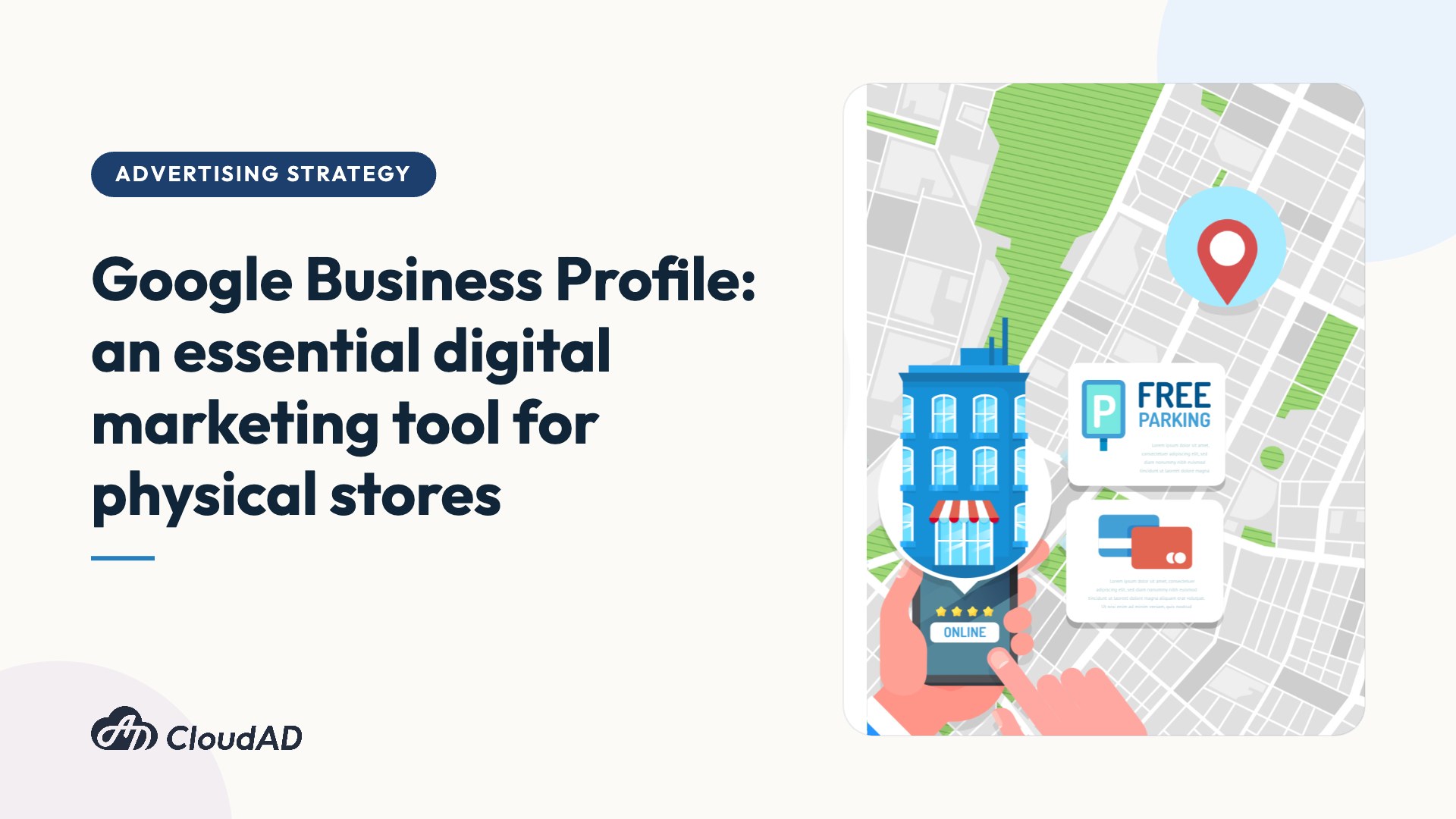
We have all used Google Search to solve everyday problems. When choosing a restaurant for a get-together, we might search “Xinyi District restaurant recommendations”, or when picking a store to collect an online order, “Songshan District convenience store”. Google Search is part of daily life. According to Google research, about 70% of consumers search online for business information and reviews before buying, and 76% of those searchers visit a business within 24 hours. If you run a physical business, make the most of every chance to be seen by setting up a Google Business Profile, and give your store promotion a real boost.
Does Google Business Profile cost anything?
Creating a Business Profile on Google is completely free. Once you have created your free profile, you can manage your business through Google Search and Google Maps and reach more customers.
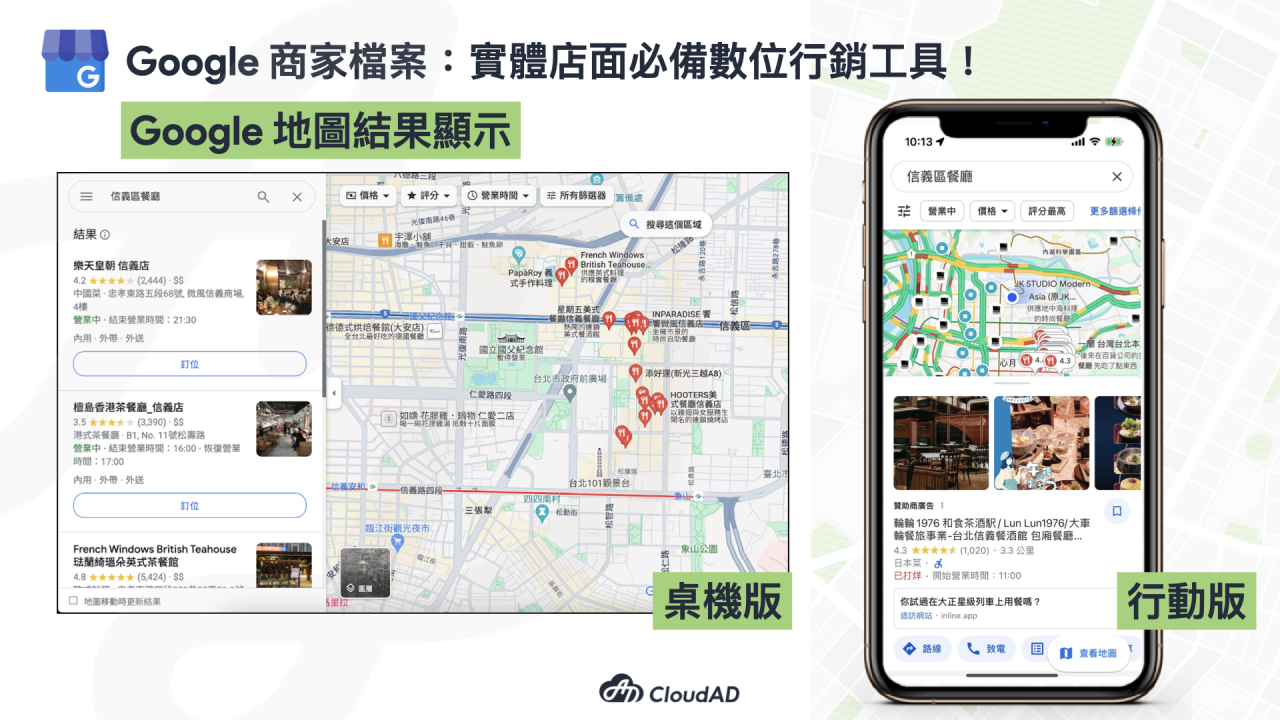
Where does a Google Business Profile appear?
Google currently shows relevant businesses when users search, based on the relevant terms included in their Business Profiles.
- Google Search results
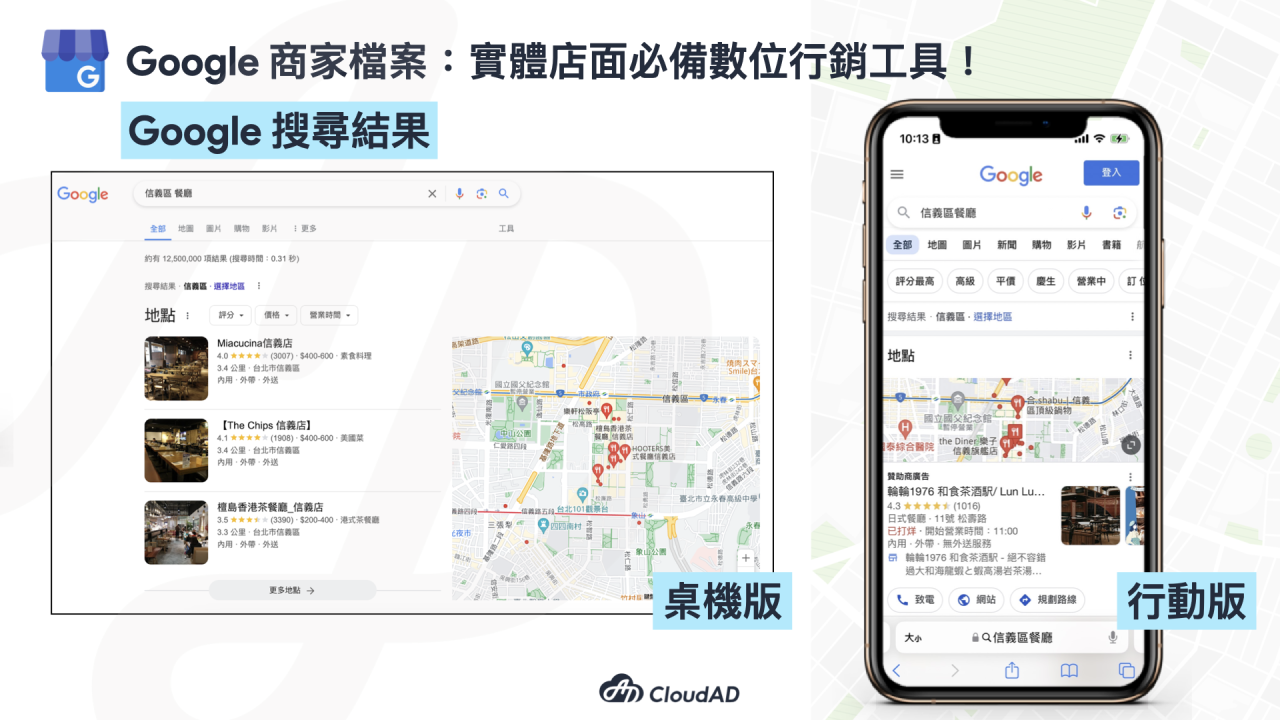
2. Google Maps results
Why should I manage a Google Business Profile?
According to five official Google figures, managing a Business Profile can significantly increase your visibility, so it is worth getting started:
- 96% of consumers are more likely to visit a business that lists its opening hours.
- More than 30% of monthly searches are location-related and come from mobile devices.
- A complete Business Profile can get 7 times more clicks than other businesses.
- Updating your Business Profile regularly increases views by 5 times.
- Even businesses without a physical store, such as those offering at-home services, can increase their visibility with a Business Profile.
Once your profile is set up, how is local ranking decided and how can you be seen more?
Local search results are based mainly on relevance, distance and prominence. Google combines these factors to find the best match for a search. For example, the algorithm might decide that a business further away is more likely to offer what the user needs than one nearby, and so rank it higher in local results.
Let’s look at what the algorithm cares about.
★ Relevance
- Relevance is how well a local Business Profile matches what a user is searching for. If you provide complete, detailed business information, Google can understand your services better and show your profile in relevant results.
★ Distance
- Distance is how far each result is from the location in the search term. If the search does not specify a location, distance is calculated from what is known about the user’s location.
★ Prominence
- Prominence is how well known a business is. Some places are more prominent locally, and search results try to reflect this in local ranking. For example, famous museums, landmark hotels or popular stores with many reviews are more likely to rank higher in local results.
By providing accurate, complete information and increasing their interactions with consumers, businesses can earn more opportunities to be seen.
What features does Google Business Profile offer?
Before creating your Business Profile, prepare the following to improve your chances of being recommended by the algorithm.
Your address determines the “distance” between consumers and your business, while the other information helps the algorithm judge “relevance”. Start preparing now:
- Address
- Phone number
- Opening hours
- Official website
- Booking or enquiry website/form
- Photos of the interior
- Product photos
The following are Google Business Profile’s own classification labels, which you can set according to your business’s features:
- Choose a “category” (if your primary category is “Pizza restaurant”, Google may show your business in local results when consumers search for “restaurant”, “Italian restaurant” or “pizza”).
- List “attributes” (tell consumers more about your business, such as “Wi-Fi available” or “Outdoor seating”).
Once you are ready, your business’s search result will show a dashboard of the features available for your profile, the number of customer interactions and a profile strength score. Fill in the information you prepared using the dashboard features below to complete the initial setup.
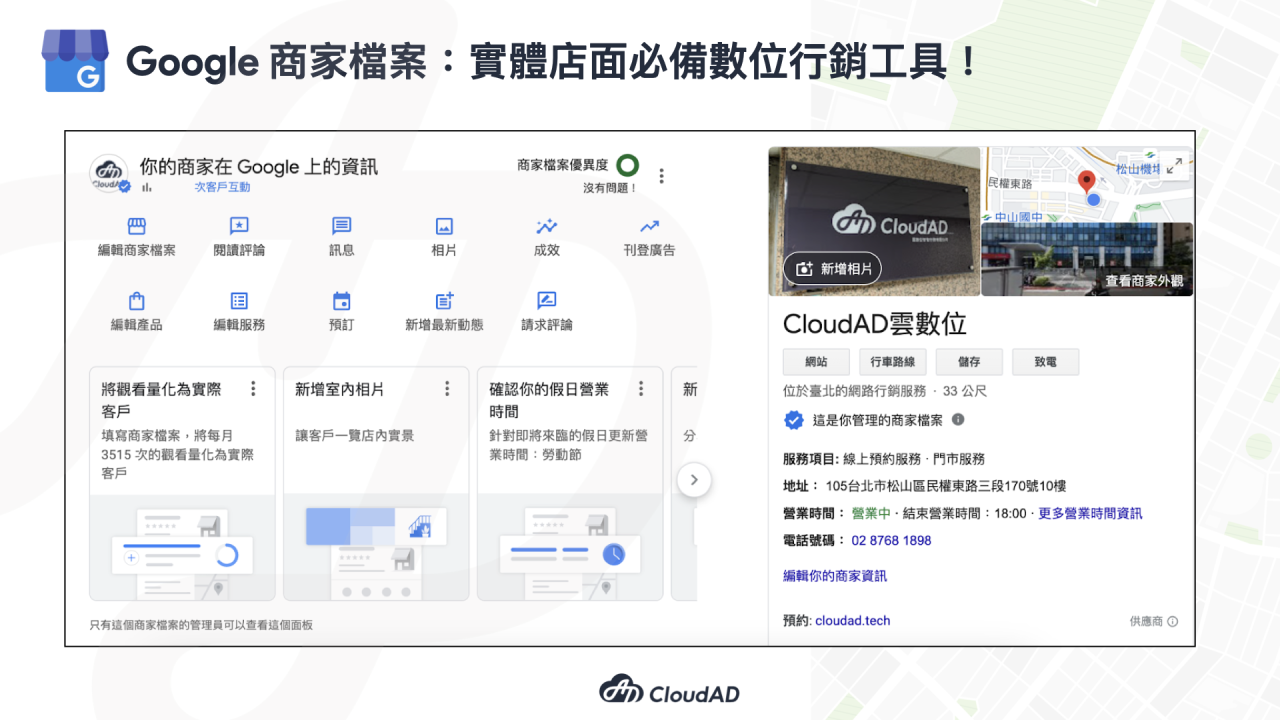
- Edit profile: update your business location, opening hours, contact details and more.
- Read reviews: read the reviews your business has received and reply to them.
- Messages: turn on chat so consumers can message your business, or add FAQs for consumers to refer to.
- Photos: post photos and videos of your business to help consumers get to know your setting and products quickly.
- Performance: the business analytics tool shows how many people viewed your business, the number of interactions, the search terms that led people to your business and other data.
- Advertise: link to Google Ads to create a new campaign.
- Edit products: add your products and edit their photos, prices, descriptions and other details.
- Edit services: choose your business’s service categories and add the services you offer.
- Bookings: connect third-party websites by adding links to booking platforms, enquiry forms and more.
- Add update: like a noticeboard for your business, where you can publish news, offers, events and other information.
- Ask for reviews: get a link that lets customers review your business on Google.
★ ★ Once your basic information is set up, these advanced steps can give your business an extra advantage ★ ★
- Manage and reply to reviews
- Verify your location with Google
You can also include a review link after a purchase and invite customers to share their genuine experience. Note that offering discounts or gifts in exchange for reviews, or asking only for five-star reviews, breaks Google’s review policy: the reviews may be removed and your Business Profile may be restricted.
All of the above are MEO (Map Engine Optimization) techniques. The better the system judges your Business Profile to match consumers, the more opportunities you will naturally have to be seen.
Today, running a physical store means covering every angle: alongside day-to-day operations, you also need visibility and a good reputation online to keep a steady flow of customers. If you are unsure how to shape your business strategy, CloudAD can build one tailored to you; get in touch.