
As technology advances, digital marketing is developing rapidly, and businesses need a more precise understanding of user behaviour to make more effective marketing decisions. Google Analytics 4 (GA4) is Google’s new generation of analytics tool. Its User-ID feature not only helps businesses track user behaviour across devices but also provides more accurate data analysis, making marketing decisions more concrete and reliable.
What is GA4 User-ID?
GA4 User-ID is a user tracking feature that lets businesses assign each user a unique identifier (ID), usually when they log in. The User-ID must not contain information that a third party could use to identify the user. When the same user interacts on different devices or browsers, GA4 can use the User-ID to combine this behaviour into a single user profile. This means businesses can understand users’ journeys more completely and optimise user experience and marketing decisions.
Why does GA4 User-ID matter?
As using multiple devices becomes more common, users may visit your website or app on a phone, tablet and computer. Without User-ID, these interactions may be treated as coming from different users, making your analysis inaccurate. With GA4 User-ID, you can:
- Track multi-device user behaviour accurately: combine cross-device interactions into a single user profile.
- Improve marketing performance: understand user behaviour in more depth and build personalised marketing strategies. Stop showing ads to customers who have already bought, measure the return on investment of each campaign correctly, and find the most effective cross-device marketing strategy.
- Improve the accuracy of data analysis: reduce duplicate data and confusion over user identity.
How to set up GA4 User-ID
1. Preparation: make sure your website or app has a way to generate and assign a unique user identifier, such as a membership system or user login.
2. Check Reporting identity:
Sign in to your Google Analytics account.
Go to Admin > Data display > Reporting identity.
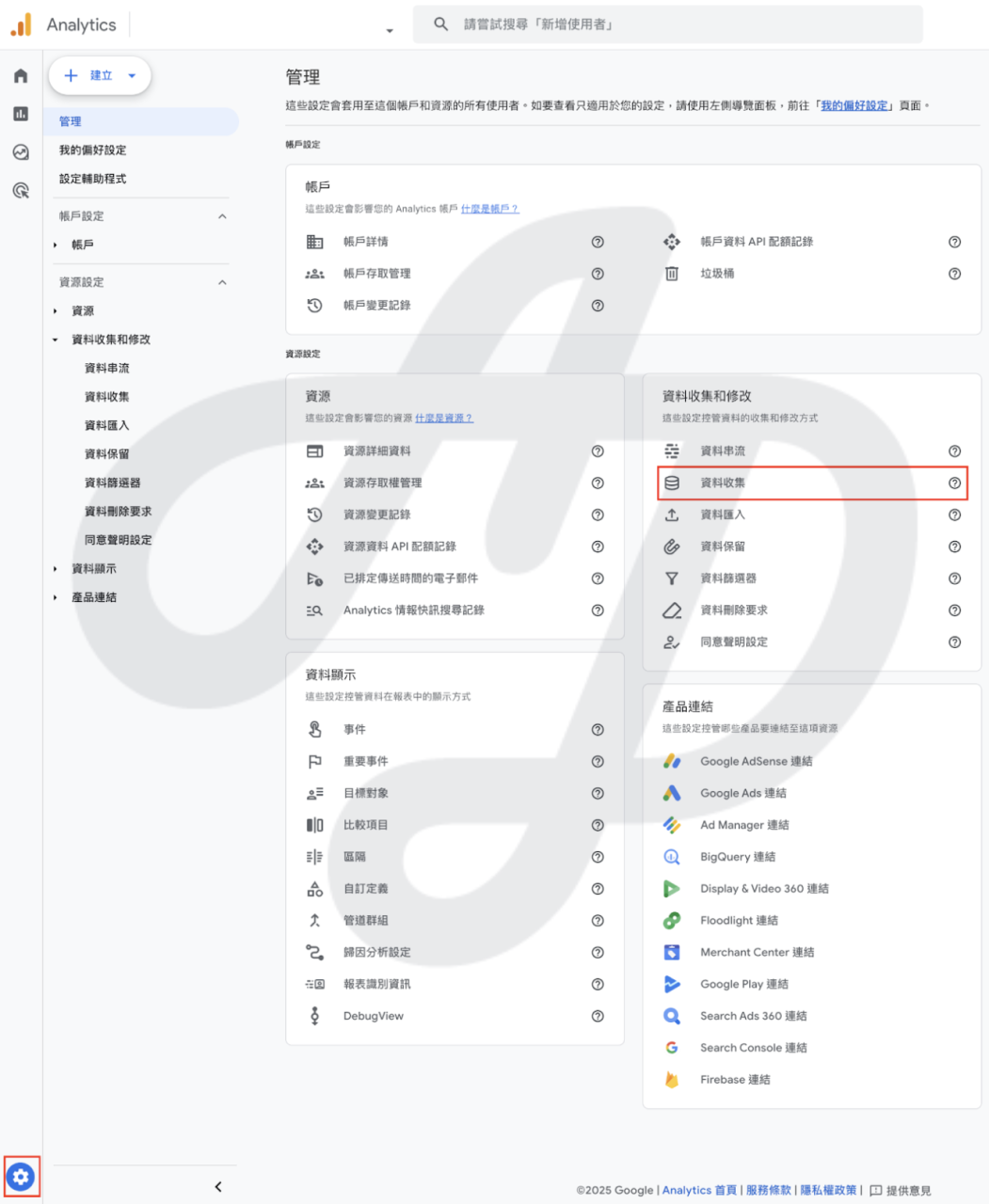
Choose “Blended” or “Observed”, and GA4 will use User-ID first to identify users.
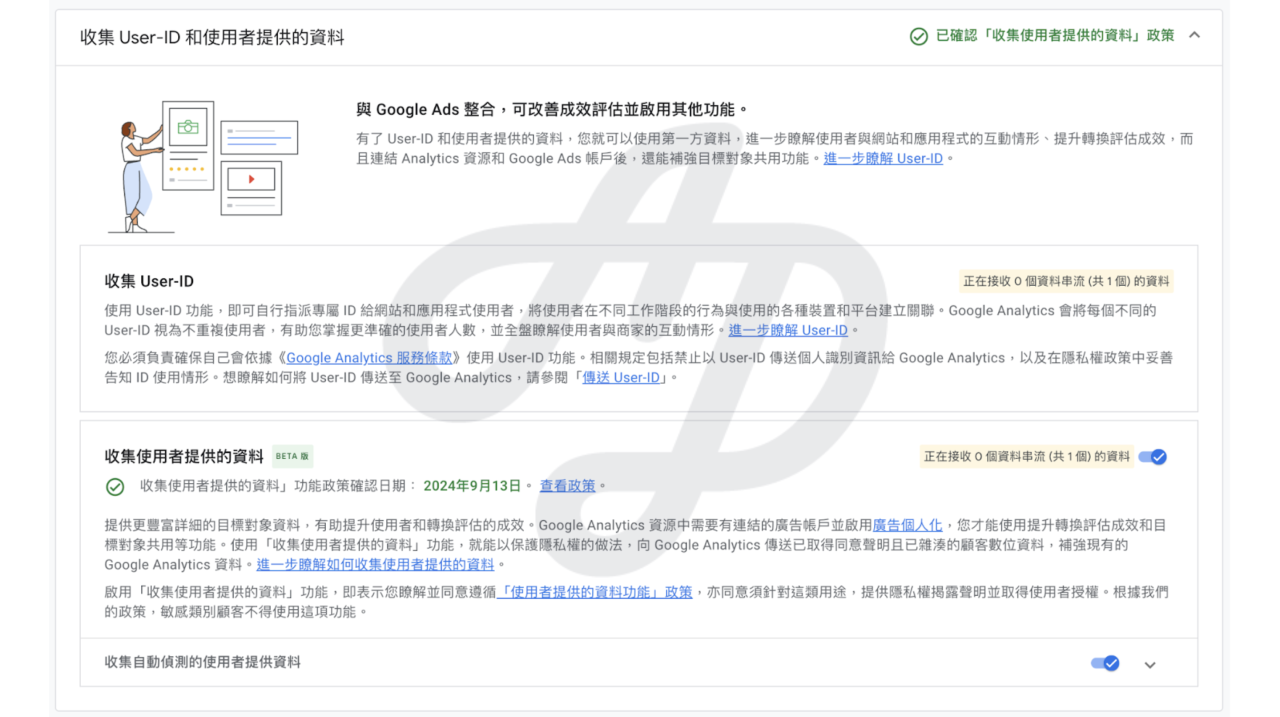
3. Integrate User-ID:
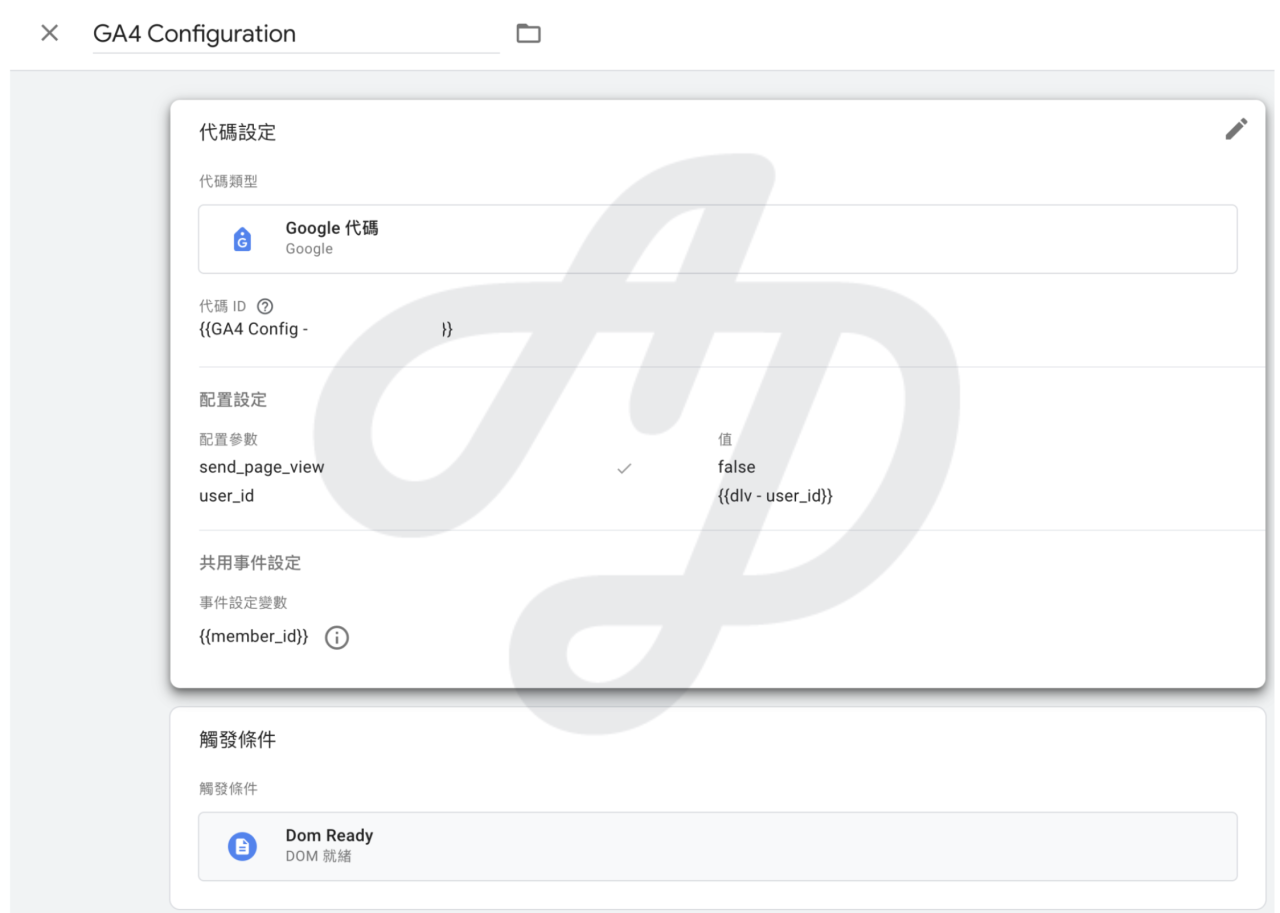
In your website or app code, send the unique ID generated when a user logs in to GA4.
Set the User-ID parameter using Google Tag Manager (GTM) or directly in the code.
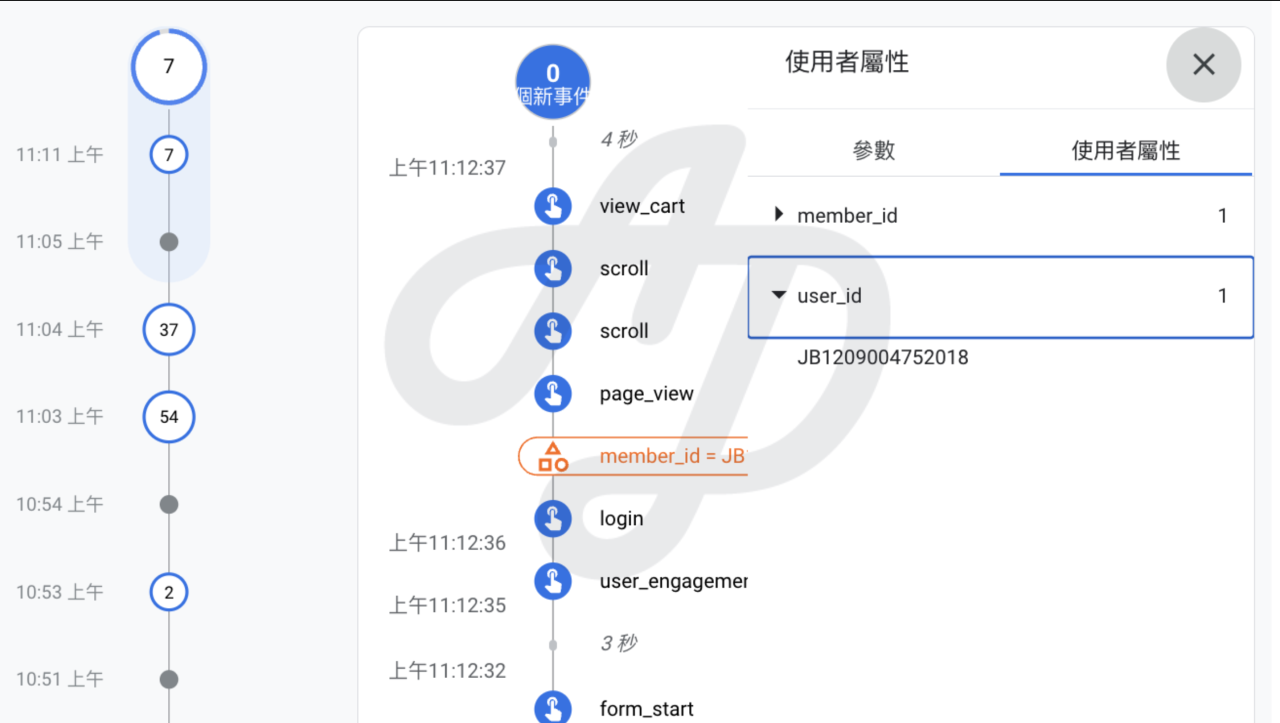
4. Verify and test: once setup is complete, use GA4’s debug feature to verify that the User-ID is being sent correctly, and check in reports that the data is displayed correctly.
Does your business need User-ID?
- If you have a member login system and the answer to any of the following is “yes”:
- You cannot accurately calculate the true conversion rate of your campaigns
- Tracking user behaviour across devices is a major problem
- Remarketing ads are not performing as expected
- Your customer journey analysis always seems to be missing key steps
GA4 User-ID is a key tool for deeper and more accurate website analytics, especially for businesses that need to track user behaviour across devices and platforms. Setting up and using User-ID correctly gives you a more complete understanding of user needs and more accurate data to support your marketing. If you have not yet started using GA4 User-ID, now is the time to improve your analytics strategy. Get in touch.