Digital marketing is highly competitive. Facebook uses Pixel to track user behaviour, helping brands get a fuller picture of ad performance and strengthen communication with audiences through remarketing ads. But growing privacy awareness among users has seriously reduced how effectively Pixel can track data, and has held back remarketing strategies considerably. To tackle this difficult performance problem, the Conversions API is a tool every advertiser should know about.
How the Conversions API works
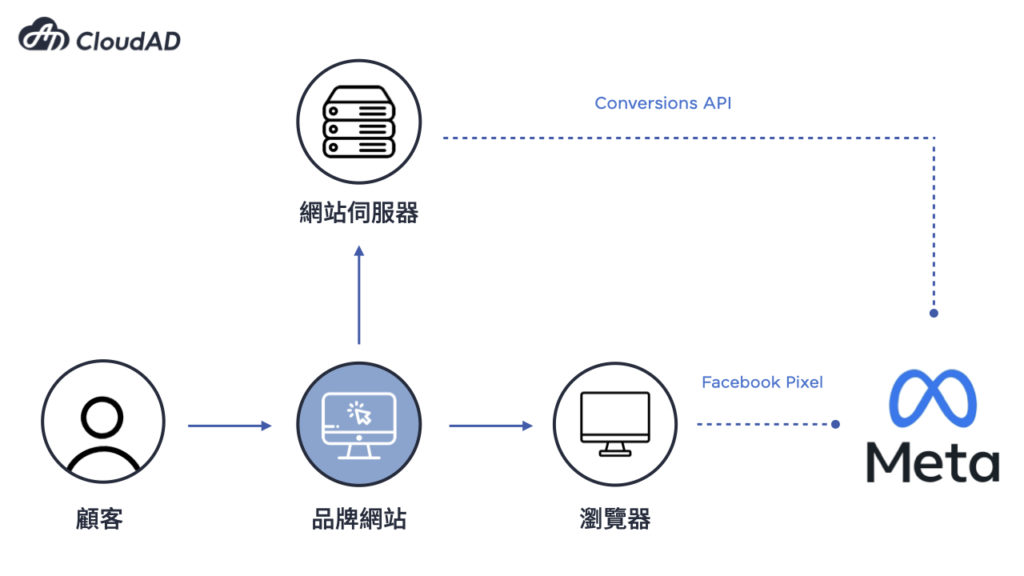
The Conversions API is a tracking tool for Facebook ads. After a user clicks an ad, it generates a unique ID for that user. The server records the user’s behaviour through this ID and sends the user information back to Facebook’s system to build a list of potential customers.
But why is the Conversions API less affected by browser restrictions than Pixel? Pixel is a browser-side tool. It tracks data through the user’s browser and relies on cookies to identify what users do on the website. The Conversions API, by contrast, is a server-side tool. It does not have to rely on cookies and tracks user data through the website’s server, so it is less affected by browser settings and cookie restrictions. Note, however, that server-side sending still requires user consent and compliance with privacy rules, and events must be deduplicated against Pixel events using event_id.
Capturing data across the board with the Conversions API
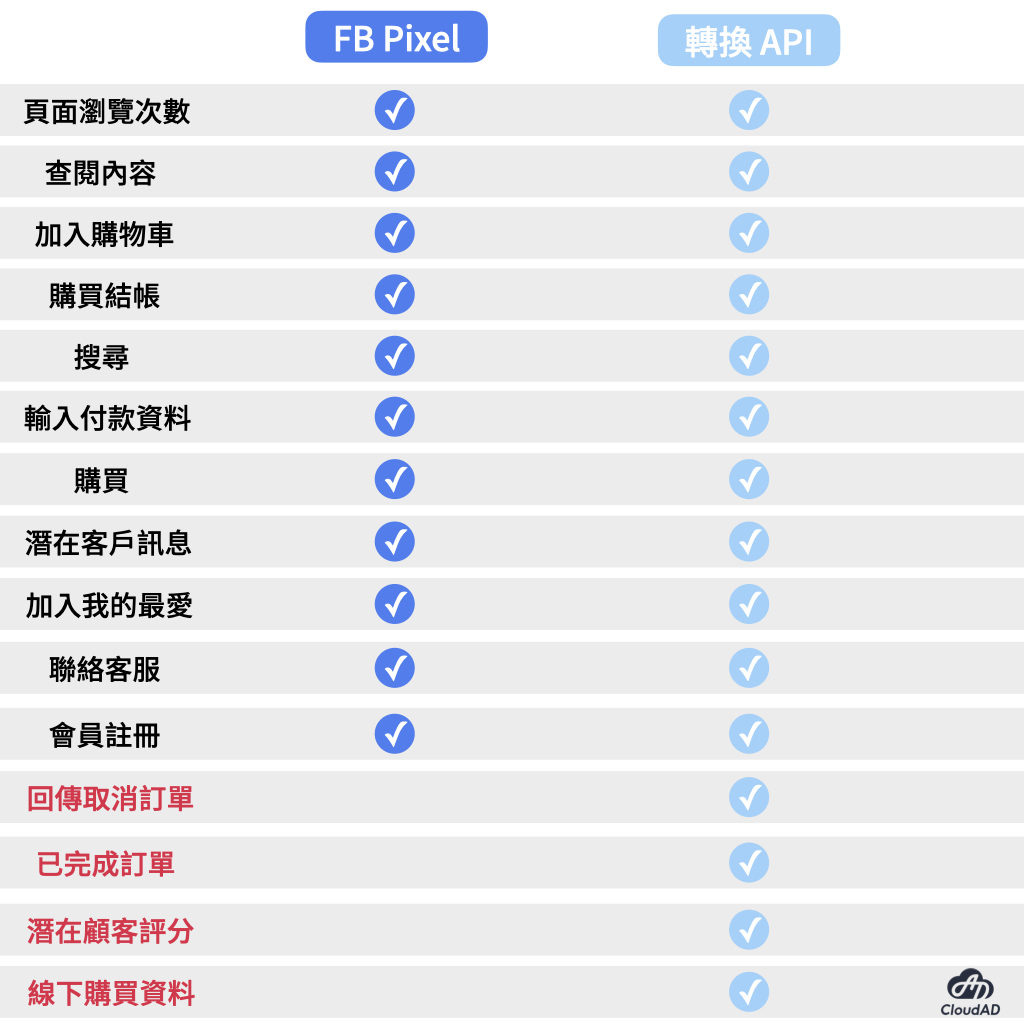
For event tracking, in addition to the standard events Pixel can track, the Conversions API adds four more events: returned or cancelled order, completed order, lead score and offline purchase data. This supports optimisation for deeper events and gives advertisers more dimensions to consider in their data analysis, improving remarketing and custom audiences.
In addition, Pixel’s tracking is itself easily affected by loading errors, connection problems and ad blockers, which prevent it from tracking user behaviour effectively and make performance data and audience lists less accurate. Implementing the Conversions API reduces the data gaps caused by browser restrictions, improves data accuracy and user match rates, and gives a clearer measure of the full journey from discovery to conversion, which helps in planning audience communication strategies.
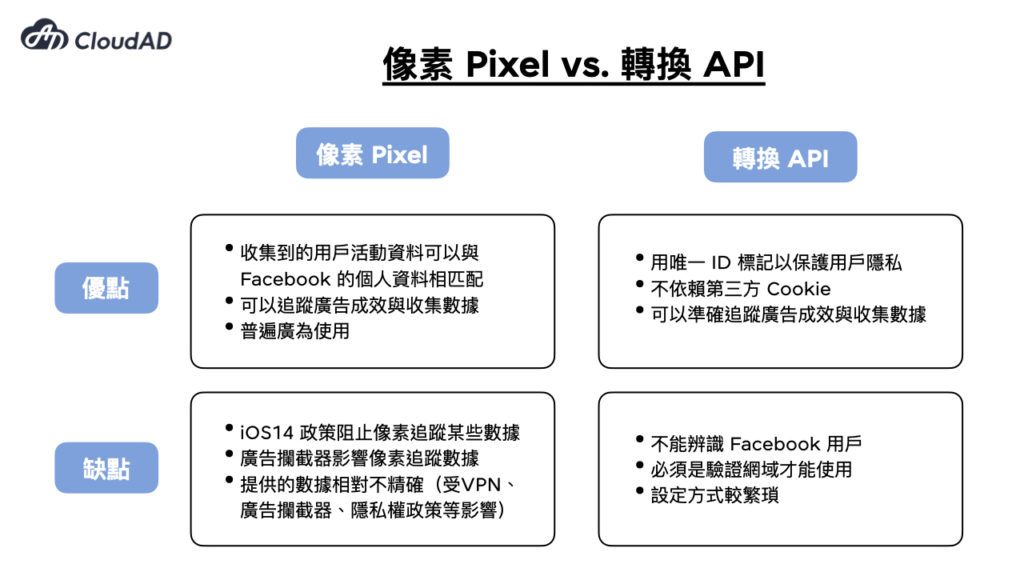
FB Pixel and Conversions API: two tools to understand your customers
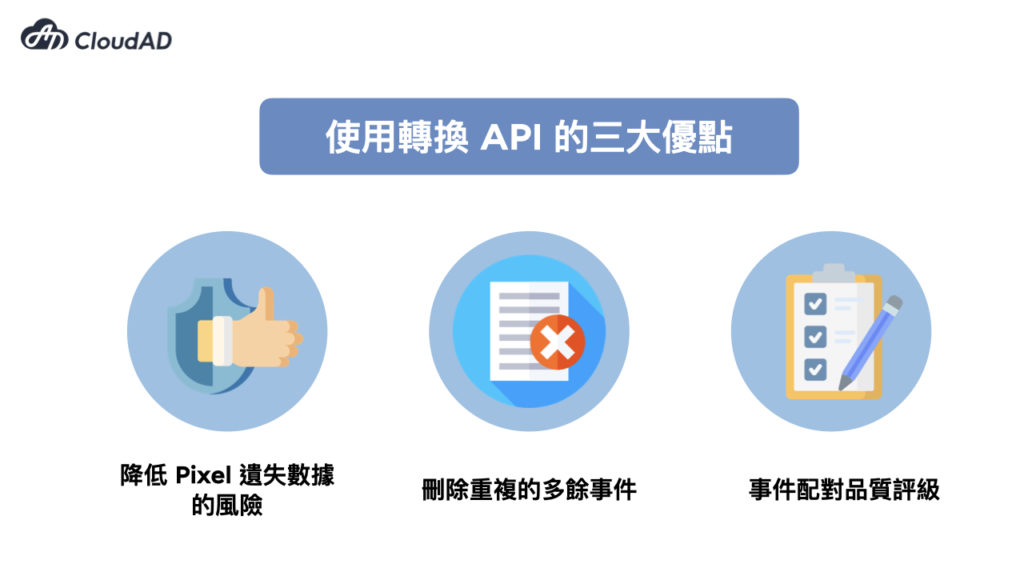
So can the Conversions API fully replace Pixel? The answer is no. In fact, one of the requirements for enabling the Conversions API is that Pixel is turned on. For the best ad performance, we recommend brands use the Conversions API and Pixel together, which brings the following advantages:
- Using the Conversions API with Pixel reduces the risk of Pixel losing data and makes Facebook ad tracking more accurate.
- The Conversions API has built-in deduplication of redundant events. When FB receives the same event from both Pixel and the Conversions API, it deletes the duplicate, preventing inflated FB ad results.
- When FB’s system receives events from the Conversions API, it scores them on the quality of the customer data sent with the event and how accurately event instances match Meta accounts, then compares that score with other advertisers’ scores for the same type of event in the same region to determine the Event Match Quality rating. Monitoring and optimising events to a “Good” or “Great” rating can effectively increase ad conversions and lower the cost per result.
Implementing the Conversions API is the current privacy-conscious approach: collecting data server-side means tracking is no longer limited by the browser. Advertisers should take the opportunity to enable Conversions API tracking now. If you have any questions about advertising or would like to discuss our services, get in touch.