Do you have a wide range of quality products you want people to see, but don’t know how?
Our aim in setting up Shopping ads is to help consumers see our products at the right time. When consumers see our ad, they first look at the Shopping ad itself: what does it show?
Imagine what consumers might be looking for: a product they are interested in, a look they like, a price range they can accept, a place to buy that they know or are willing to buy from.
That is when our quality products most need Shopping ads to appear in front of the right consumers at the best moment.
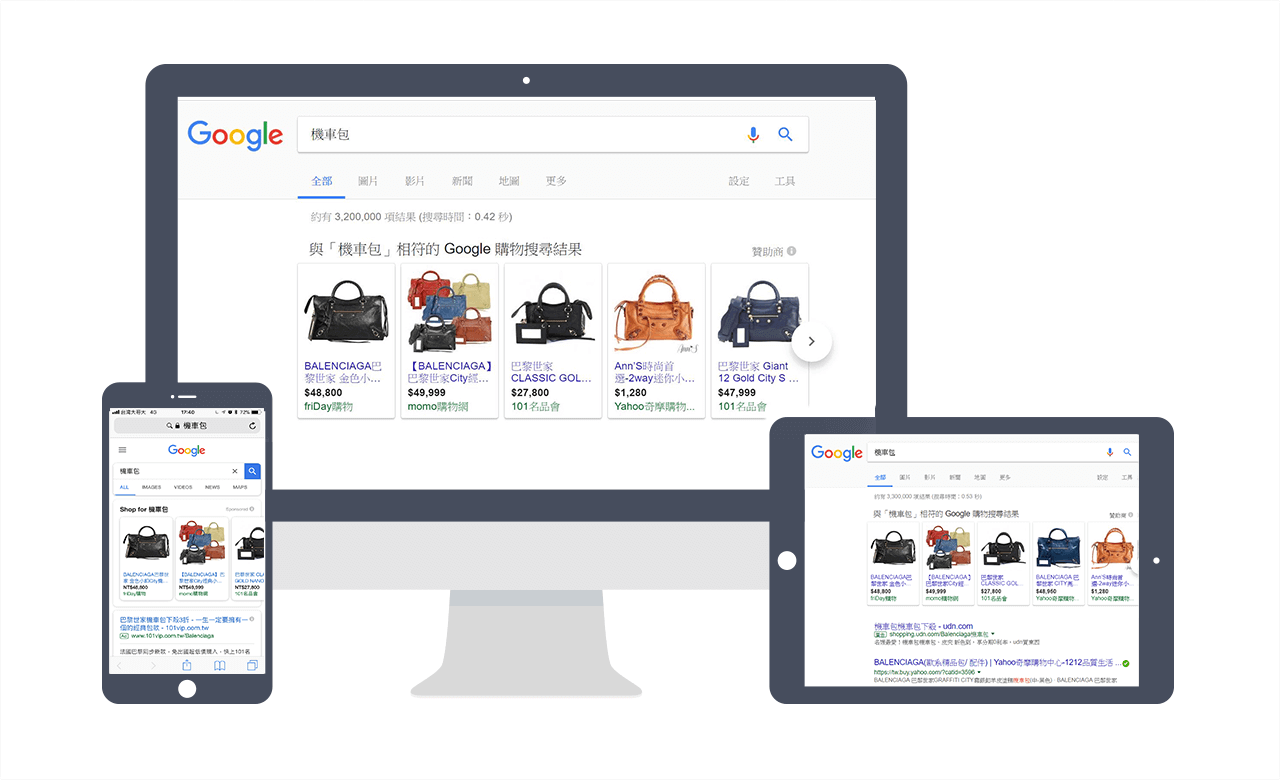
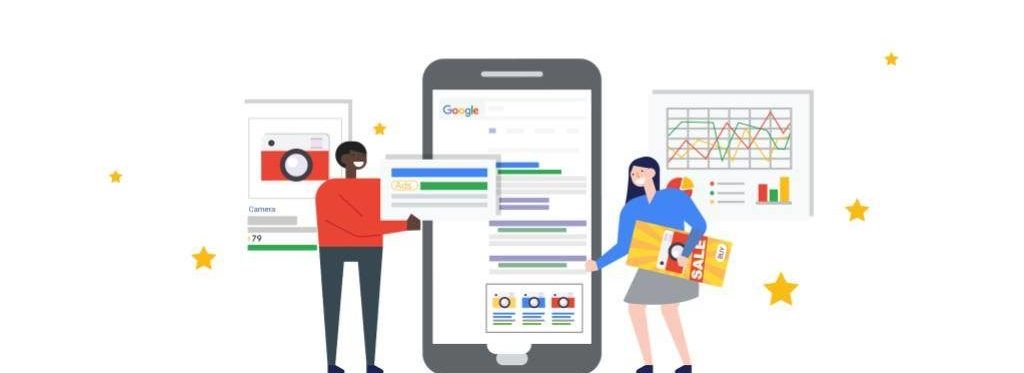
When consumers use Google Search to look for a product they have in mind and type a keyword, our product information appears in front of them. This works for searches on any device.
Shopping ads are more detailed and eye-catching than text ads, so they can highlight our products’ features and attract clicks from qualified potential customers who genuinely intend to buy.
When do you pay for the ad? As with Google Ads pay-per-click, you only pay when a consumer clicks through from a Google Shopping ad to our website after searching.
Why use Shopping ads?
1. More traffic and potential customers:
In Google Shopping placements, many brand clients have achieved click-through rates significantly higher than with text ads, up to three times their usual level.
2. Reach more precisely targeted customers:
To attract target customers, we can show product information directly in the Shopping ad, helping consumers make better-informed purchase decisions. This makes them more likely to complete a purchase on our website.
3. Easy to manage:
When our ad is shown because a consumer searches for related products, the product details in the ad are based not on keywords but on the product attributes we define in the feed in Merchant Center.
4. Broad coverage:
When consumers search on Google, more than one of our ads may appear. When a search closely matches our products, Shopping ads can appear alongside text ads. This means we may double our chances of catching consumers’ attention.
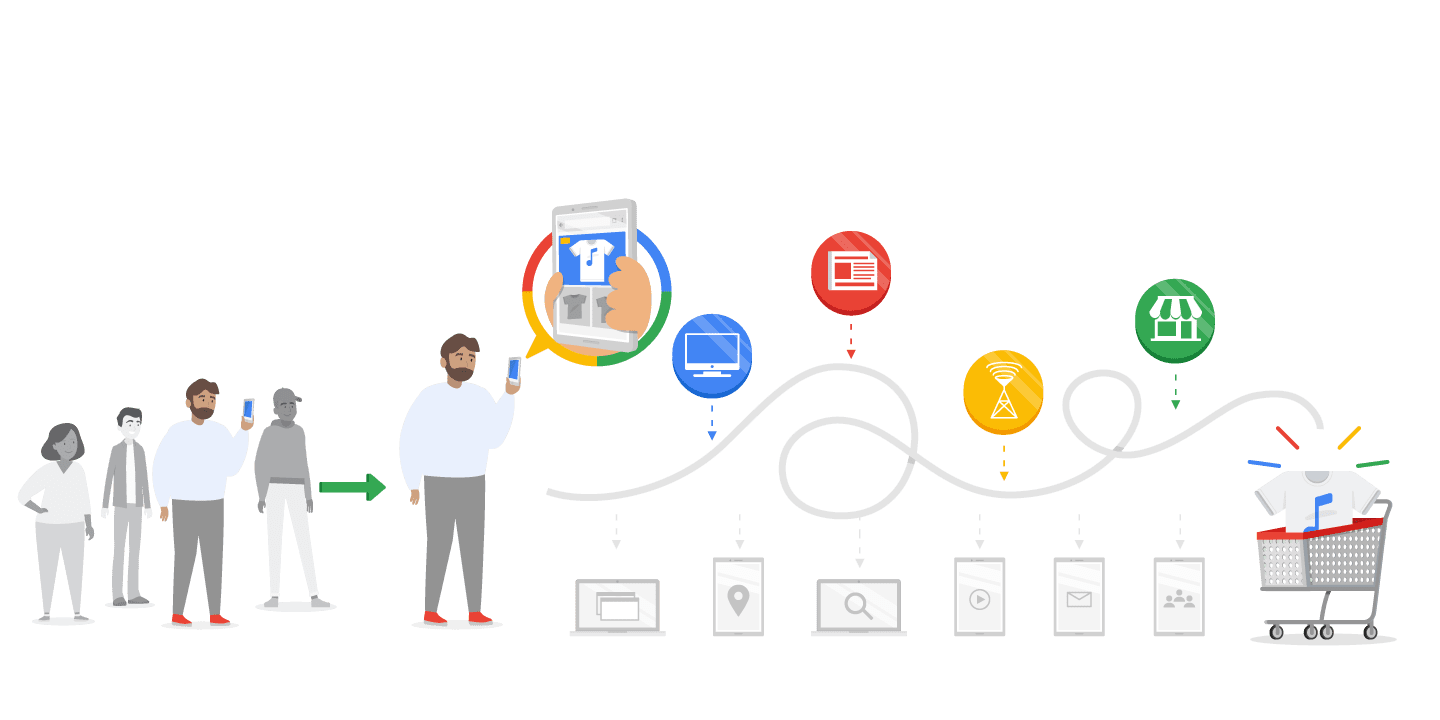
Where Shopping ads can appear online
- The Shopping tab on Google Search
- The top of Google search results pages
- Google search partner sites
- The Google Display Network, YouTube and Gmail
When consumers see various products related to their search, Shopping ads and text ads may appear at the same time. This means consumers find the product that best meets their needs before they click an ad to go and buy, which helps a great deal in closing the sale.
Example
Suppose we sell camping tents and have created both a text ad for camping gear and a Shopping ad for camping tents. Consumers may then see both ads on the same Google search results page.

Six key advantages of Shopping ads
1. High reach:
They appear at the top of the first page of Google search results, ahead of text ads.
2. High traffic:
The ad shows the product image, name and price up front, so consumers who click are really only one step away from buying. They already know what the website offers, that it meets their needs and have some understanding of the product, which greatly lowers the bounce rate.
3. Easy to manage:
There is no need to buy keywords. Just create a product data file and upload it to GMC; the system reads the product information automatically and matches it to relevant terms when consumers search.
4. High visibility:
Shopping ads can show up to 25 products. If you have several products of the same type, your products may appear again on the next search results page. If you also run search ads, keyword ads can appear below the Shopping ads at the same time.
5. Real-time information:
Showing price and stock data gives consumers clear shopping information and keeps product stock management up to date.
6. High conversion rate:
Consumers get clear product photos and prices. If they are attracted and accept the price, the chance they will place an order is naturally very high.
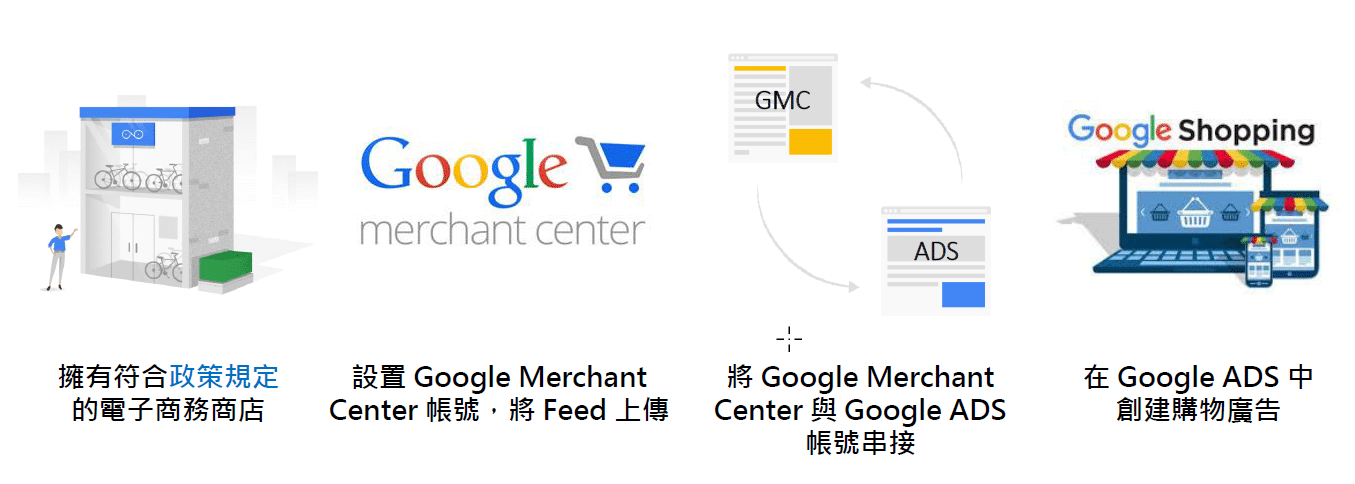
Four steps before setting up Shopping ads
Step 1: First, we need an e-commerce store that complies with the policies.
Step 2: Set up a Google Merchant Center account and upload a data feed to our Merchant Center.
Step 3: Link our Merchant Center to our Google Ads account.
Step 4: Create our Shopping campaign in the Google Ads account. That completes the Shopping ads setup.
Retailer requirements: the final step
Based on Google’s Shopping ads policies, here are 10 requirements for retailers:
- You must not sell guns, tobacco, pirated goods, adult products or pharmaceuticals (which pharmaceuticals depends on local regulations)
- Products can be added to the cart without logging in or registering
- The online store has full payment and delivery, offering home delivery and online card payment
- All products have fixed prices (every product must list its original price in addition to any sale price)
- Prices are shown in the local currency (e.g. New Taiwan dollars)
- Product images are high quality, without watermarks, with a clean or removed background
- Product pages, and all tab and category pages, have complete product information
- The store page or returns policy page gives a physical address, phone number and contact email (if there is no physical store, the company’s contact address can be used)
- The website should have an SSL certificate
- Travel, cars, pets, services and tickets are not supported
Note: to make sure Google’s crawlers can read all our store information, write it as text on the pages. Do not use images.
Once these requirements are met, we can start running Shopping ads.
To learn more about Shopping ads, read the next article in this series.
If you are interested in any of the above, let CloudAD help you enrich your marketing strategy. Get in touch.