Introduction: the key to unlocking data discrepancies
For many marketers and web analysts using Google Analytics 4 (GA4), one of the biggest headaches is that report figures don’t match back-end systems or ad platforms. Fewer transactions, more users: these discrepancies directly erode your trust in the analysis and fill every performance meeting with uncertainty.
The root of the problem may lie in one setting: Reporting identity. Tucked away in GA4’s Admin settings, it determines how GA4 identifies a user and stitches together their journey across different devices and sessions. This setting is the cornerstone of data accuracy. If it’s set wrongly, all later analysis may be built on shaky ground.
In this article we act as your digital analytics consultant, explaining in plain terms how the Reporting identity setting can cause large data discrepancies. In the next part, we’ll offer clear solutions through two very different real client cases.
The basics: what is GA4’s Reporting identity?
First we need to understand how GA4 identifies and tracks users. Reporting identity is a strategic setting that determines how GA4 combines a user’s scattered interactions across phone, computer and app into a coherent, meaningful customer journey. GA4 does this mainly through the following identity spaces.
- User-ID: this is the most accurate method of identification. It isn’t generated automatically by GA4, but must be provided by the website’s own membership system (for example, a member number in a CRM or database). When a user logs in, the website sends this unique, anonymous ID to GA4. The biggest advantage of User-ID is that it can accurately attribute the same member’s behaviour on different devices (phone, tablet, computer) to one person, giving the most complete cross-device behaviour profile.
- Device ID: this is GA4’s basic method of identification. On websites, it corresponds to the Client ID stored in the browser (a random string stored in a cookie). In apps, it’s the App Instance ID. Its limits are obvious: if the same user browses your website on a work computer in the morning and on their personal phone in the evening, Device ID treats them as two different users, which overestimates user numbers and makes cross-device journeys impossible to analyse.
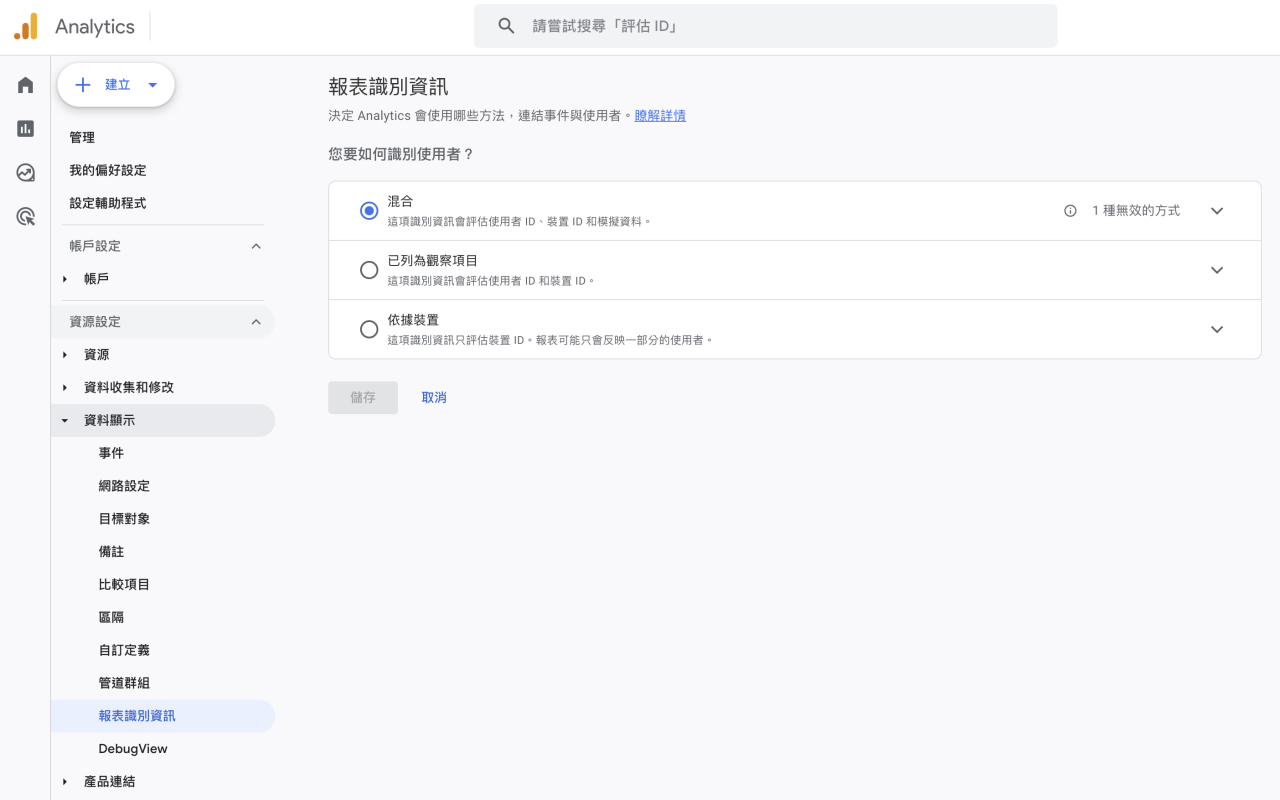
GA4 lets you choose how to combine these identity spaces. These are the three Reporting identity options.
| Option | How it works and when to use it |
|---|---|
| Blended |
[The most complete view, but includes modelled estimates] Uses User-ID device ID modelling, in that order. This is GA4’s default option and tries to give the most complete view of users by using every available identification method. Suitable for: websites with a member login system that want to maximise the accuracy of cross-device tracking. |
| Observed |
[Shows only observable data, no estimates] Uses User-ID device ID, in that order. It works like Blended but excludes machine learning modelled data, showing only data the system can observe directly. Suitable for: analysis where directly observable data matters and you don’t want reports to include algorithmic estimates. |
| Device-based |
[Closest to raw data, used for diagnosis] Identifies users using only the device ID (cookie), ignoring every other identification method. This overestimates the number of unique users but effectively avoids data thresholding problems triggered by User-ID. Suitable for: reconciling with raw data such as BigQuery, or diagnosing problems when you suspect the User-ID implementation is wrong. |
Please note: on 12 February 2024, GA4 made a major update that removed Google Signals from Reporting identity calculations, with the aim of greatly reducing data thresholding problems.
Now that we’ve covered the basics, in the next part we’ll look at how these settings cause large data discrepancies in real client scenarios.
In the digital age, GA4 isn’t just a tool for large enterprises. Want to be part of this wave of data? Get in touch.