AI is everywhere now. Copywriting, image generation and even software development can all be done efficiently with the help of AI. The advertising industry is no exception, and it has even sparked an AI tools race between the major platforms. CloudAD has put together the latest information on Meta’s AI tools, so that marketers can pick them up quickly and put them to use, whether in marketing planning or when talking to advertising partners.
This article introduces the 2025 version of Meta’s Advantage tools. It covers the key features after several rounds of updates, with illustrated explanations that show clearly where each tool is found, to help you learn how to use them and get more done with less effort.
What is Meta Advantage?
Meta names its series of AI tools with the prefix “Advantage”, which can be seen as the umbrella name for Meta’s AI-powered range. We can divide them into two levels according to how much control AI has:
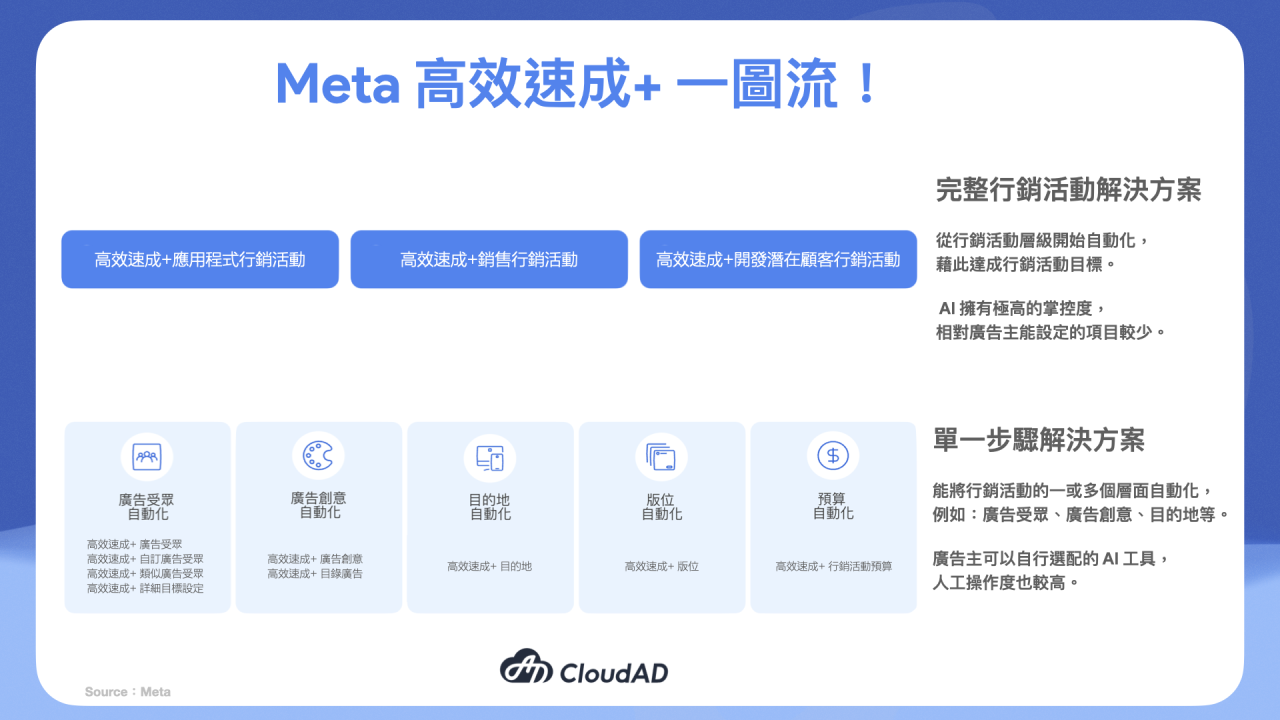
Upper level: Advantage+ end-to-end campaign solutions
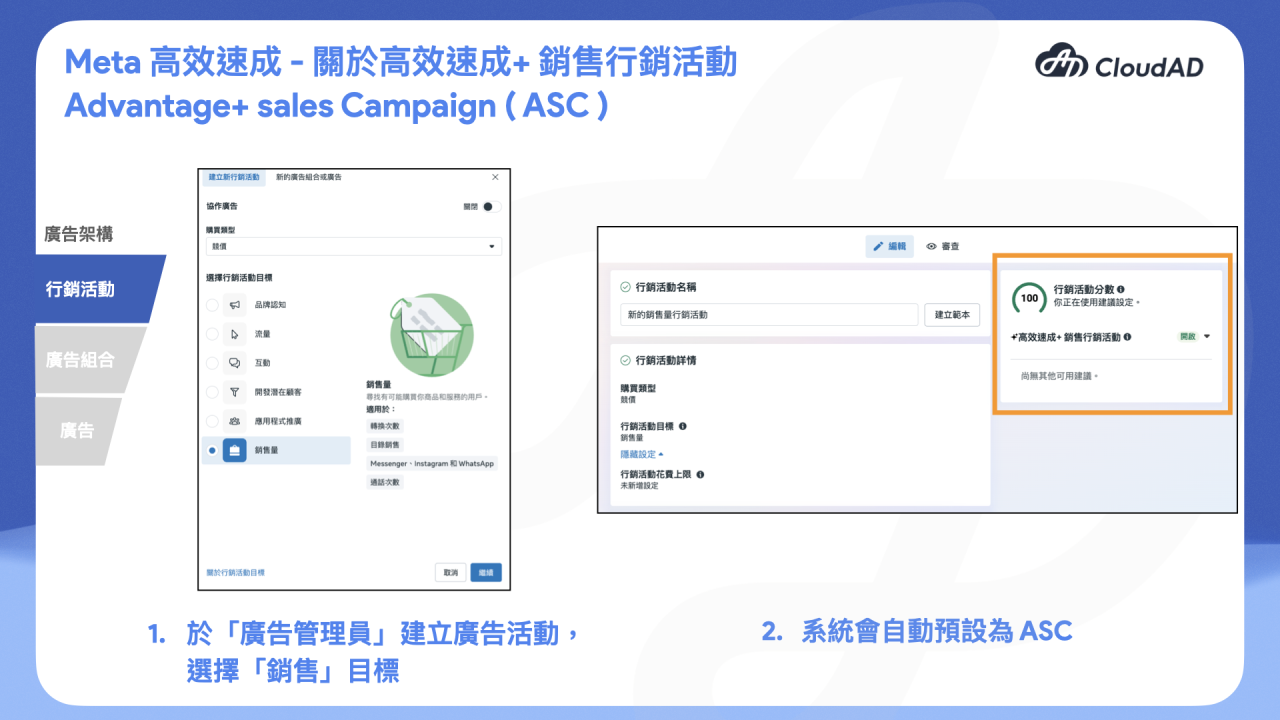
- Advantage+ sales campaigns (ASC)
When you create a campaign and choose “Sales” as the objective, the system defaults to ASC.
ASC is an end-to-end campaign solution designed to increase online sales. Solutions of this kind apply AI across several areas to improve efficiency, such as ad creative, targeting, placements and budget.
According to Meta’s official research, businesses using Advantage+ sales campaigns reduced their cost per action by 9% on average.
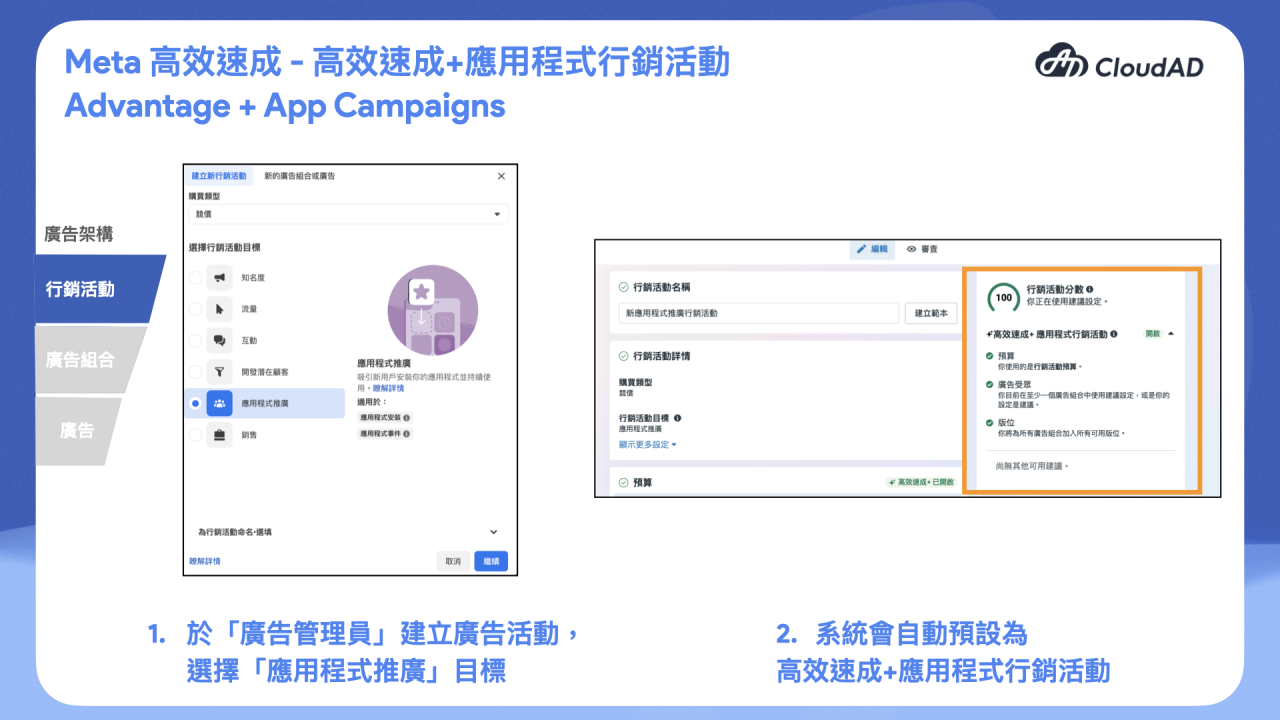
- Advantage+ app campaigns
Compared with manual app ads, Advantage+ app campaigns offer fewer audience targeting options. But by limiting the targeting inputs, the system can find more relevant audiences more flexibly and adjust ad delivery based on performance.
According to Meta’s official research, businesses using Advantage+ app campaigns reduced their cost per action by 7% on average.
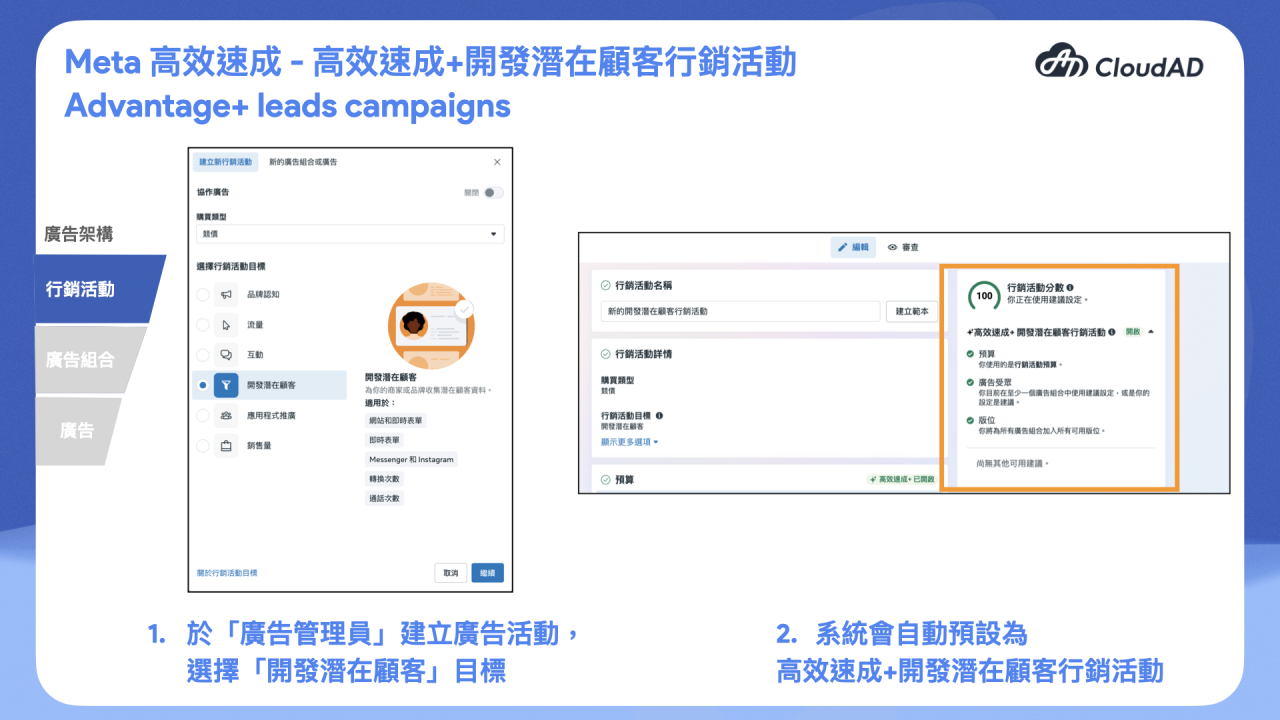
- Advantage+ leads campaigns
Suitable for advertisers whose main goal is finding high-quality leads. This is the newest end-to-end tool, helping advertisers automate the whole campaign to optimise for cost-effective, high-quality leads.
According to Meta’s official research, businesses using Advantage+ leads campaigns reduced their cost per qualified lead by 10% on average.
Lower level: Advantage+ single-step solutions
Here AI becomes one component of the campaign. Advertisers decide how much AI is involved, and there is more manual control. We group them by the elements a campaign needs: audience, creative, destination, placements and budget.
1. Audience automation
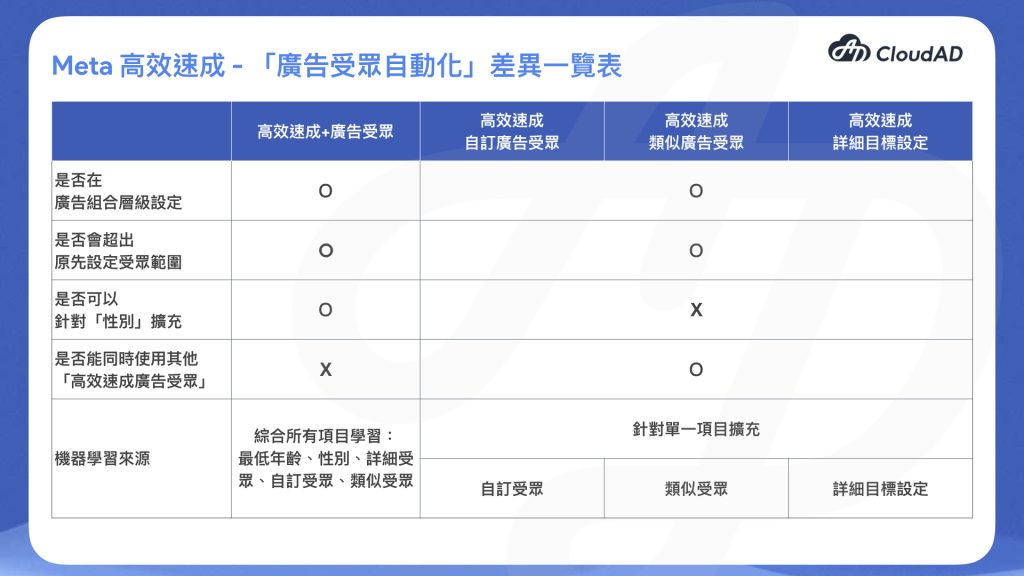
- Advantage+ audience
By applying AI to audience targeting, it helps advertisers find the most relevant customers, including customers advertisers may not have realised would be interested in the product. The settings are split into two parts: audience suggestions and audience controls.
- Audience controls: limit the range in which AI can deliver ads. Controls include minimum age (for example, 18 and over), location, language and custom audience exclusions (for example, people who have already bought).
- Audience suggestions: guide AI to prioritise matching audiences, though it may widen the search to people likely to become customers. Suggestions include age, gender, interests, demographics, behaviours, custom audiences and lookalike audiences.
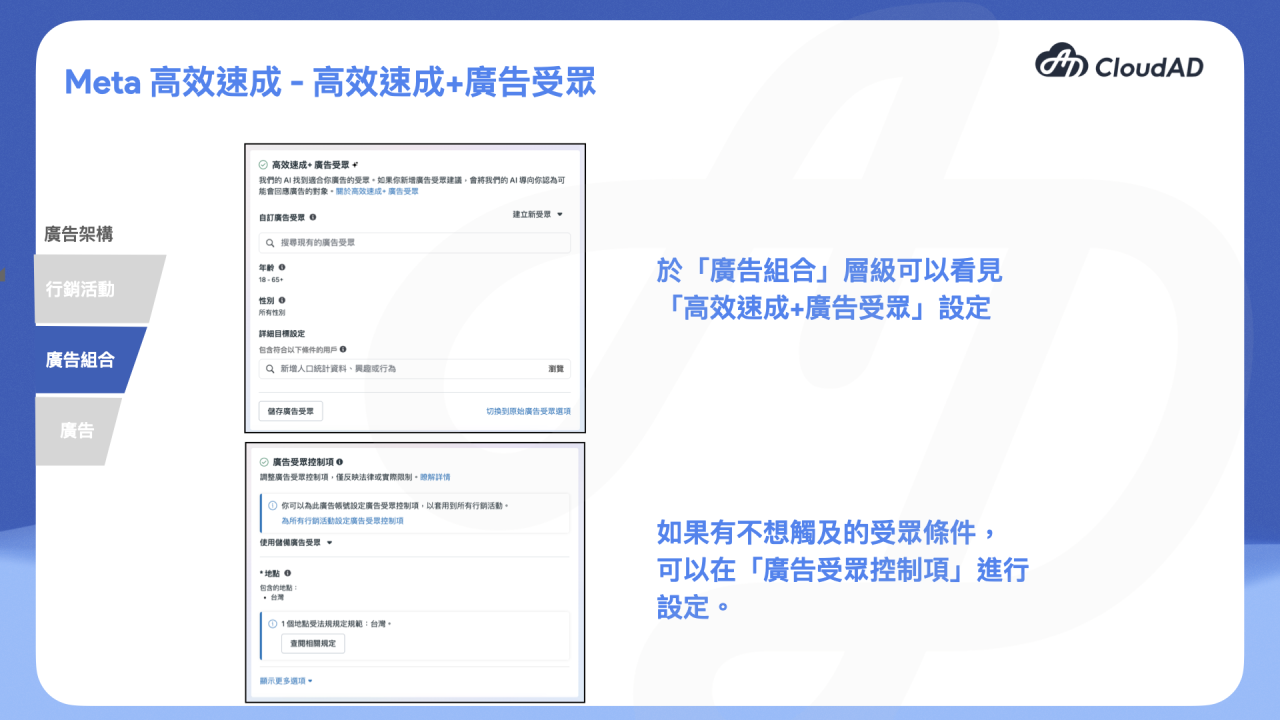
- Advantage+ custom audience and Advantage+ lookalike audience
This option only appears at ad set level when a custom audience or Advantage+ lookalike audience has been set. If you tick it, the system may deliver beyond the custom audience or Advantage+ lookalike audience you originally set, but you can still use exclusions to narrow the list (for example, people who have already bought).
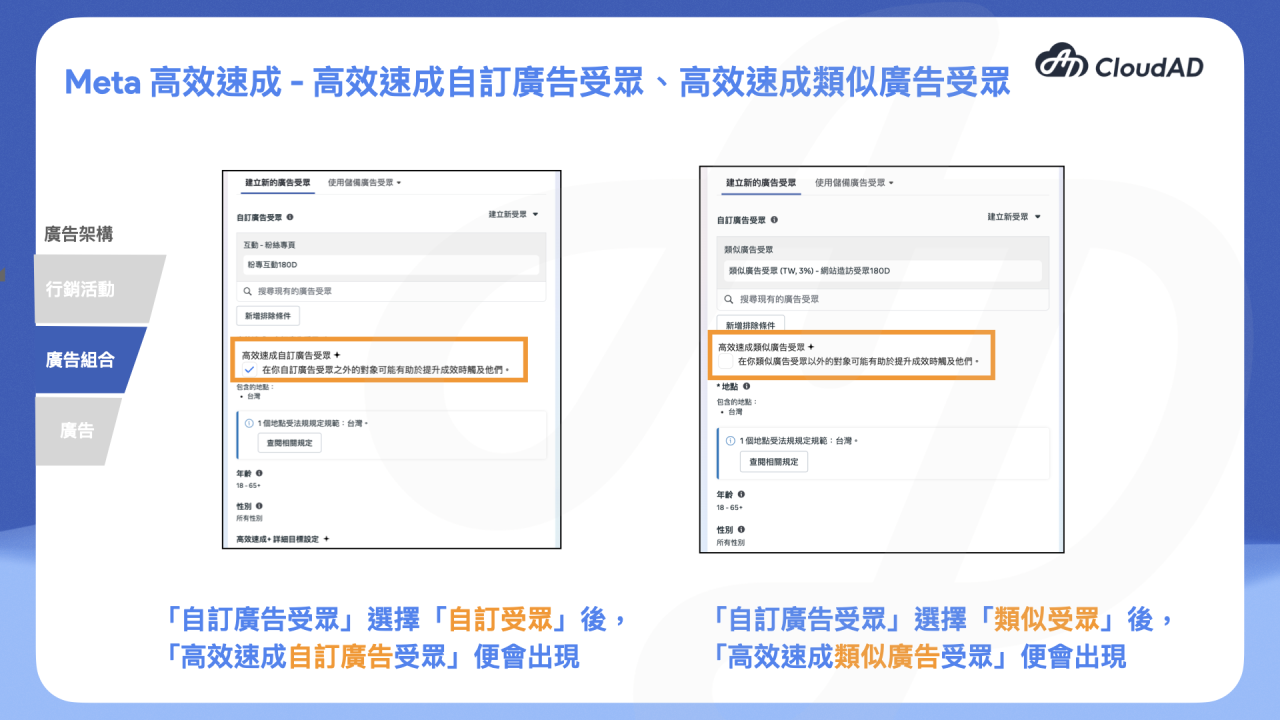
- Advantage+ detailed targeting
This only expands detailed targeting and cannot be applied to location, age or gender targeting. Ads are still limited by your exclusions and targeting settings (such as age, gender, location and language), so you don’t need to worry that turning it on will leave your ads with no targeting at all.

2. Creative automation
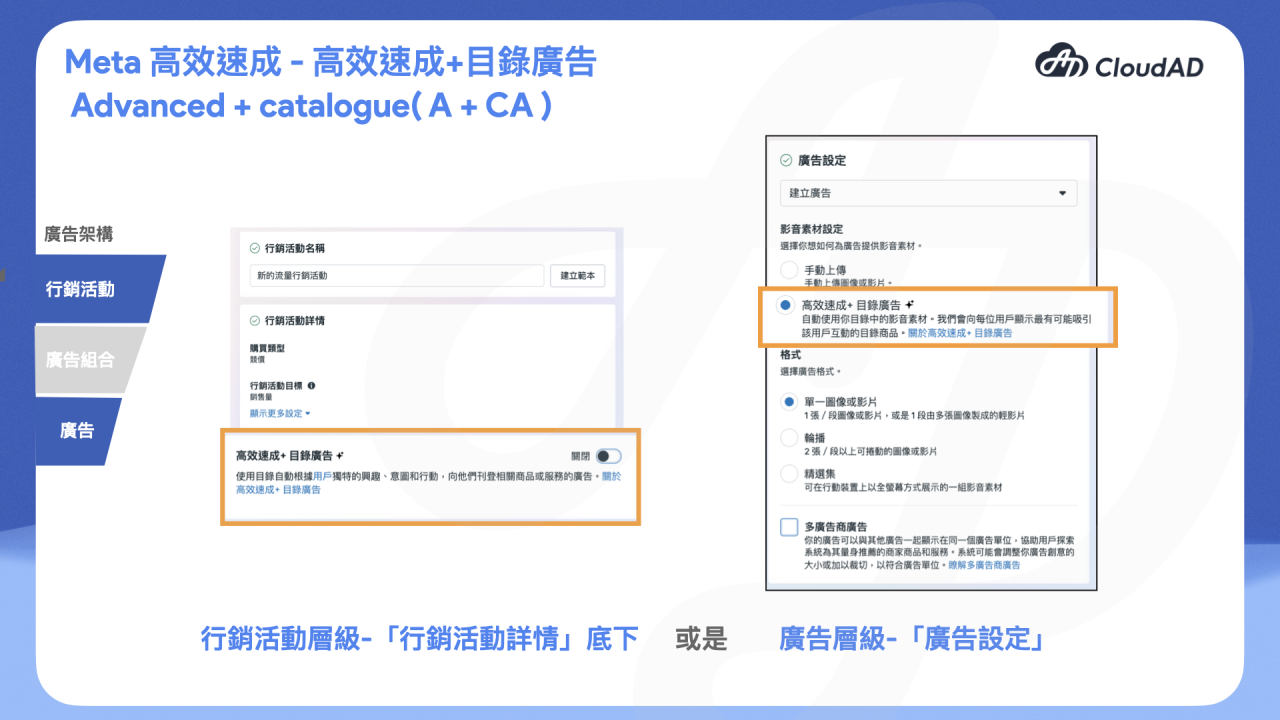
- Advantage+ catalogue ads (A+CA)
Formerly Dynamic Product Ads (DPA), this can be set at campaign or ad level.
It works by automatically showing users relevant services or products based on their interests, purchase intent and actions, making it suitable for e-commerce and retail businesses with many products.
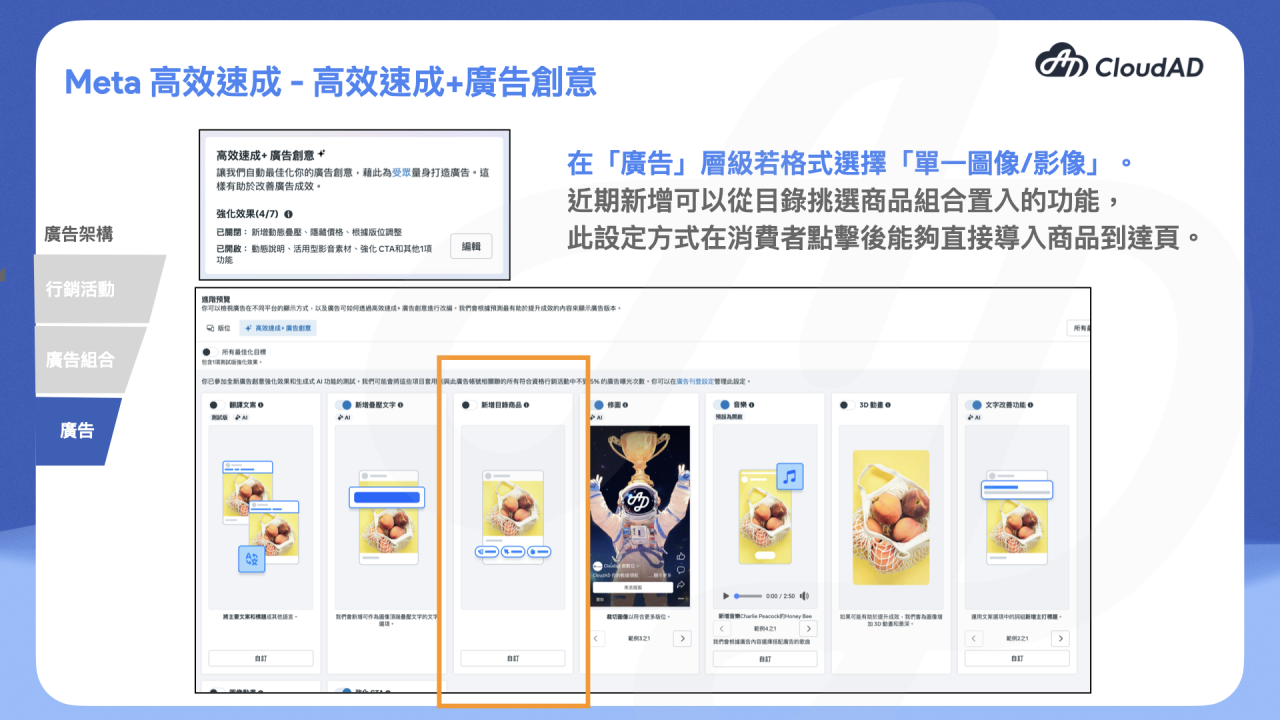
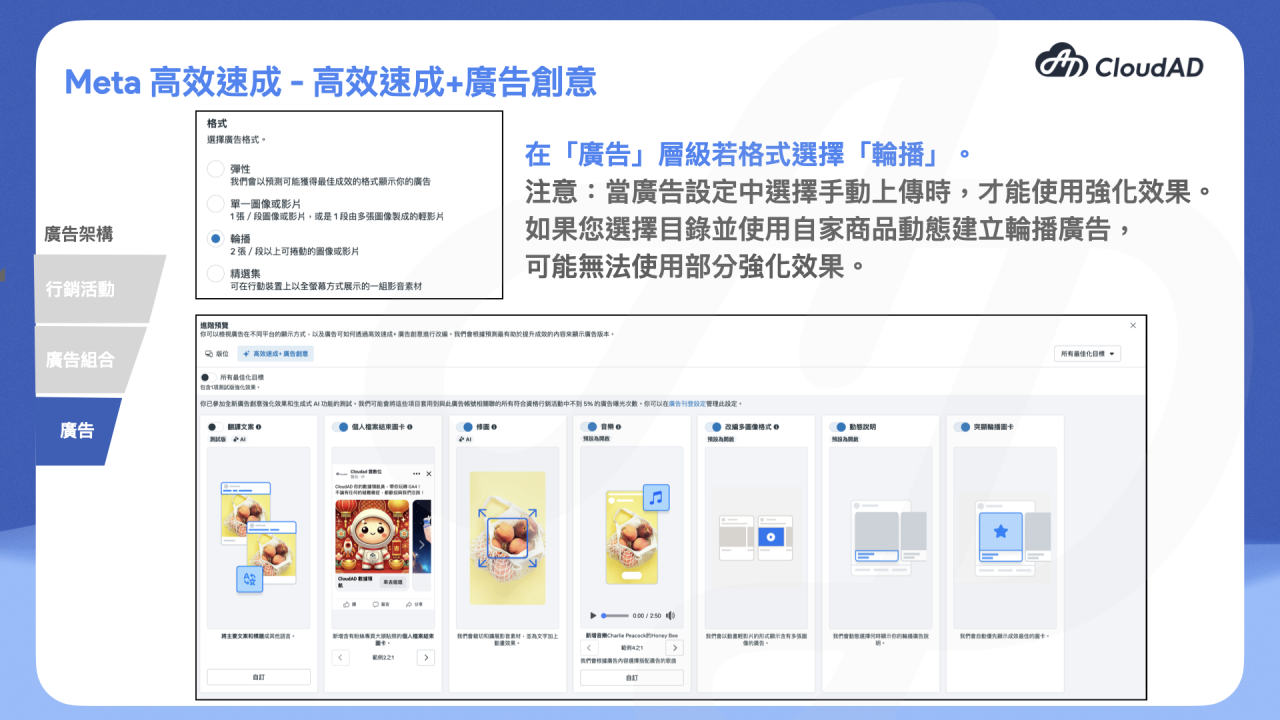
- Advantage+ creative
This feature is available at ad level if you choose the “single image or video” format. It automatically optimises your creative to produce ads tailored to different audiences. A recently added feature lets you pick a set of products from your catalogue to include. Compared with the Collection format, which adds a step where the catalogue opens, this setup takes consumers straight to the product landing page when they click, shortening their path through the website.
3. Placement automation
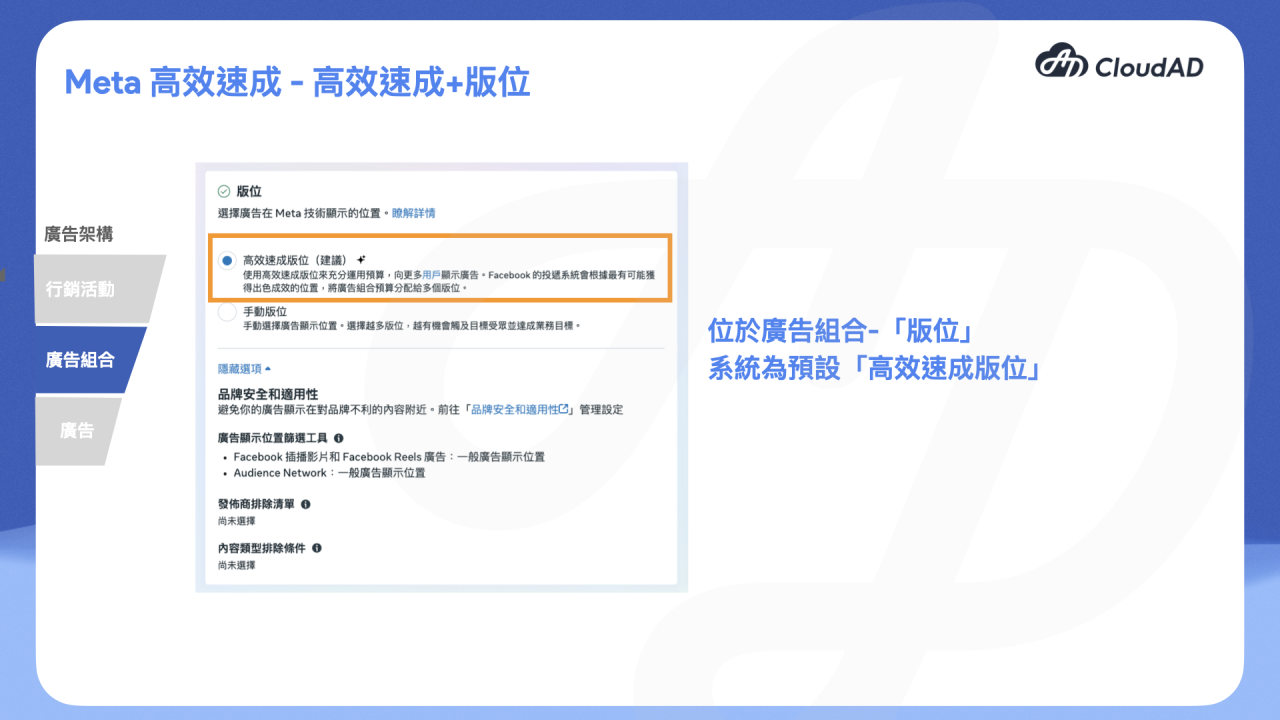
- Advantage+ placements
Use Advantage+ placements to make the most of your budget and show your ads to more people. Facebook’s delivery system chooses the placements most likely to perform well, including Facebook, Messenger, Instagram, Threads and Meta Audience Network.
You don’t need to worry about ads appearing in places that could harm your brand image: options such as the placement filtering tools below give you some control over where ads appear.
4. Budget automation
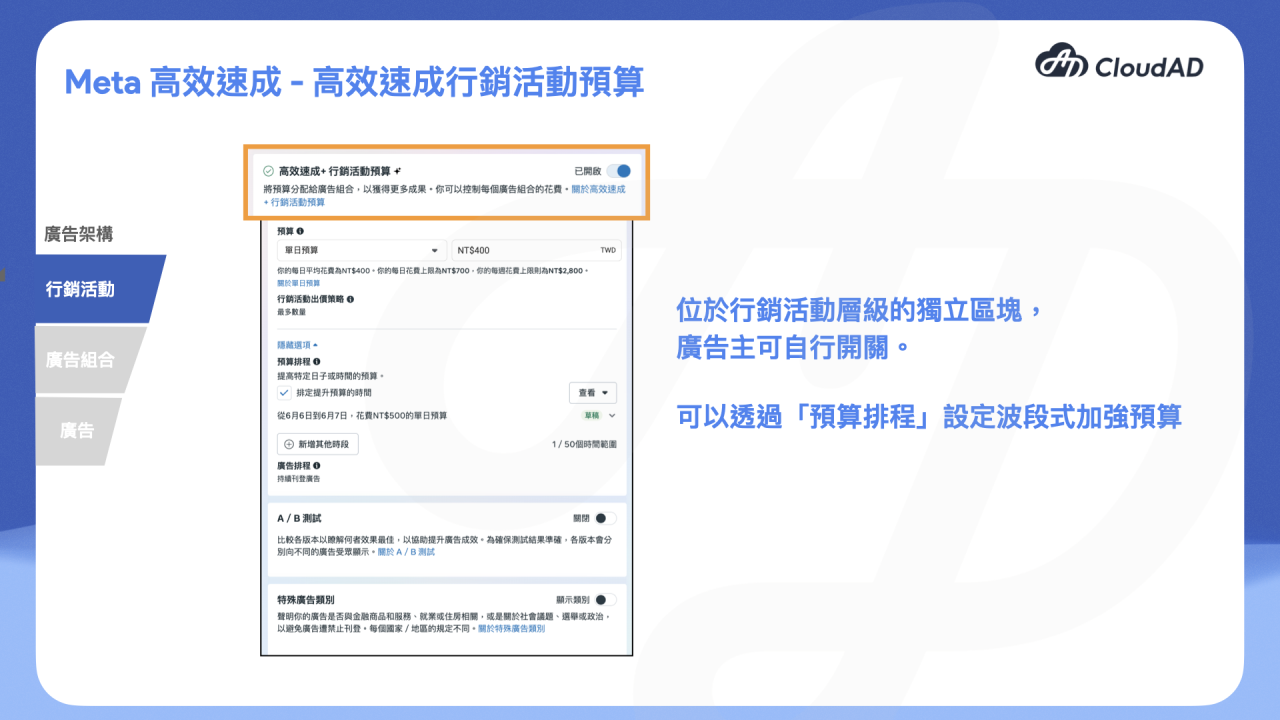
- Advantage+ campaign budget
The budget is set at campaign level and allocated to the ad sets currently delivering, based on your performance goal and bid strategy, to get more results. Even when it is on, you can still set an ad set spending limit at ad set level.
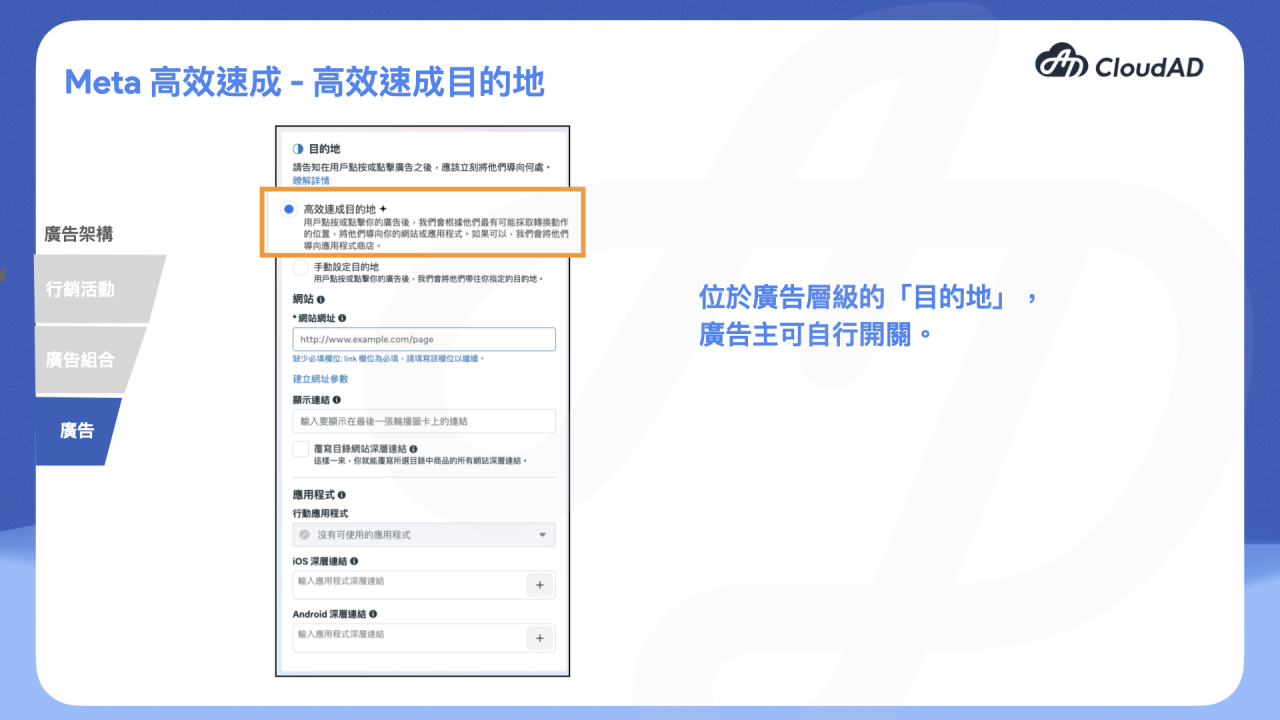
5. Destination automation
- Advantage+ destination
Based on where users are likely to convert, it decides whether a click on the ad goes to the website or the app, or possibly to the app store.
Conclusion
All the major ad platforms can use their rich databases to develop their own AI advertising tools, and setting up ads is becoming ever more convenient. But this also reminds us that, to avoid being replaced by AI, we need to do more than learn how to set up ads: we must develop insight by watching how the numbers change, and deepen our understanding of the data over time.
If you want to put AI advertising tools into your marketing strategy and campaigns quickly but don’t know where to start, get in touch.