
GA4’s Segment overlap report uses combined conditions to define specific audiences. It lets you quickly see how segments overlap and relate to each other, and even look further at how behaviour differs between segments. If you want to understand different audience segments, or identify your brand’s most important customer groups, you need to know how to use the Segment overlap report.
1. Start with the use case
A Segment overlap exploration lets a brand see more clearly how different audiences overlap, understand how audience behaviour is distributed, and then adjust its targeting or messaging strategy. If you have any of the following analysis needs, try using the Segment overlap report to solve or rule out the problem:
- How can we identify the brand’s loyal, high-value fans?
- Which kinds of users have lower shopping value?
- How do website and app users use different devices?
2. Report interface guide
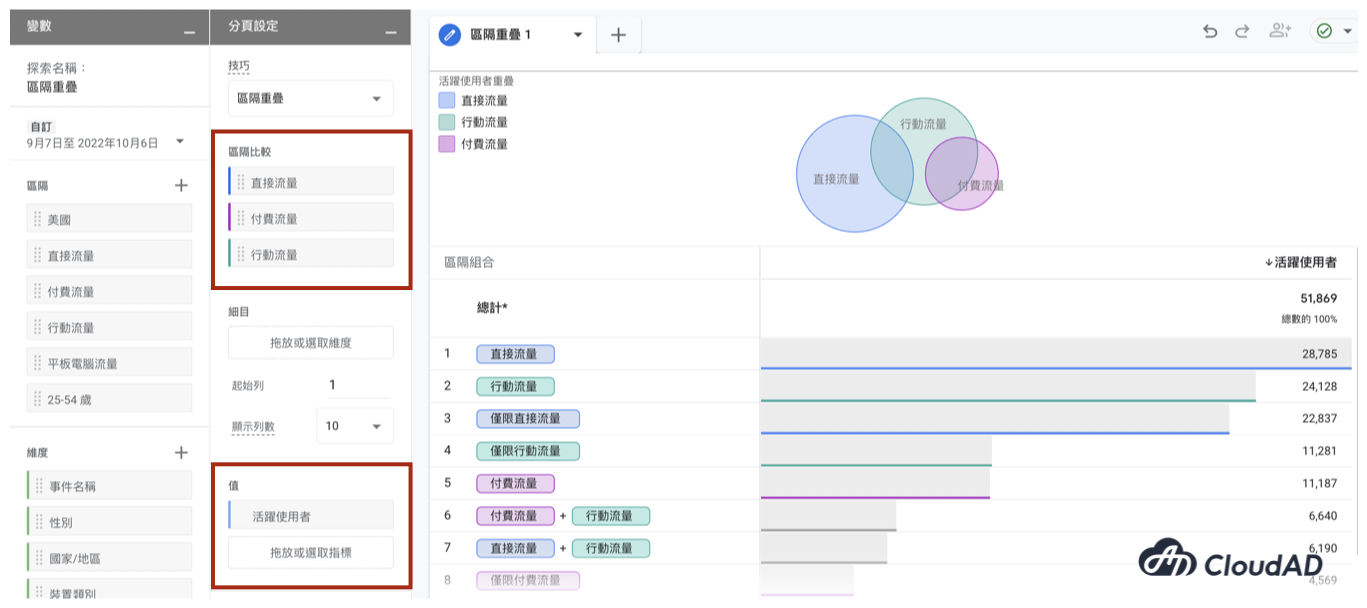
In the Explorations template gallery, select Segment overlap and create the report.
The Segment overlap report compares how audiences in different segments perform, based on the segments and values you set.
- Segment comparisons: up to 3 segments can be applied
- Values: up to 10 metrics can be shown
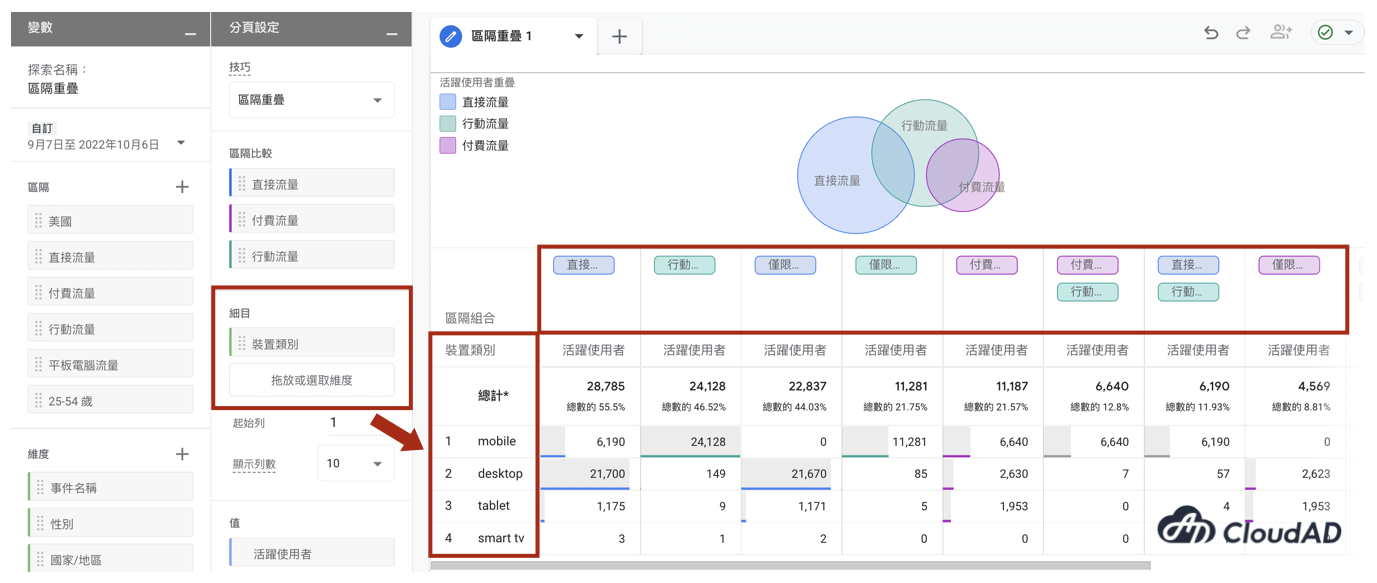
If you want to add another dimension to look at, you can add a breakdown.
The table then switches so the breakdown items become the columns, and the rows show the values in the order of the segments.
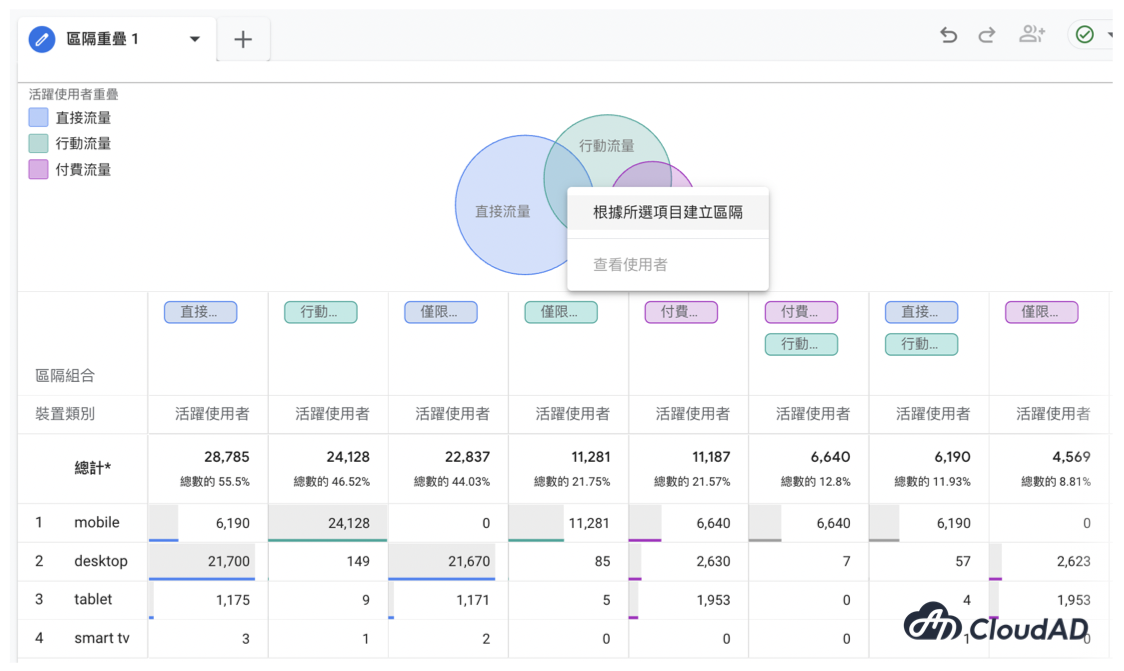
Besides looking at differences in performance between segments, if you want to look more closely at users in a specific segment combination, or create a segment for later analysis or use, move your mouse over that segment combination and right-click.
The Segment overlap report helps you understand how audiences relate to each other, and can also help you find high-value customers to use as remarketing audiences. If you have any questions about GA4 or would like to discuss our services, get in touch.