Generative AI is changing how ad creative is made. It helps advertisers produce content faster, test more efficiently and optimise ad creative automatically. With AI, marketers can focus on strategy and ideas rather than time-consuming production work, making their ads more effective.
To help brands use AI more easily, Meta has launched several generative AI ad features that let advertisers quickly generate copy, images, video and even animation. In this article we look at how these AI tools can be used, and how combining AI with human adjustment keeps the brand image consistent and improves ad quality.
Meta’s generative AI features
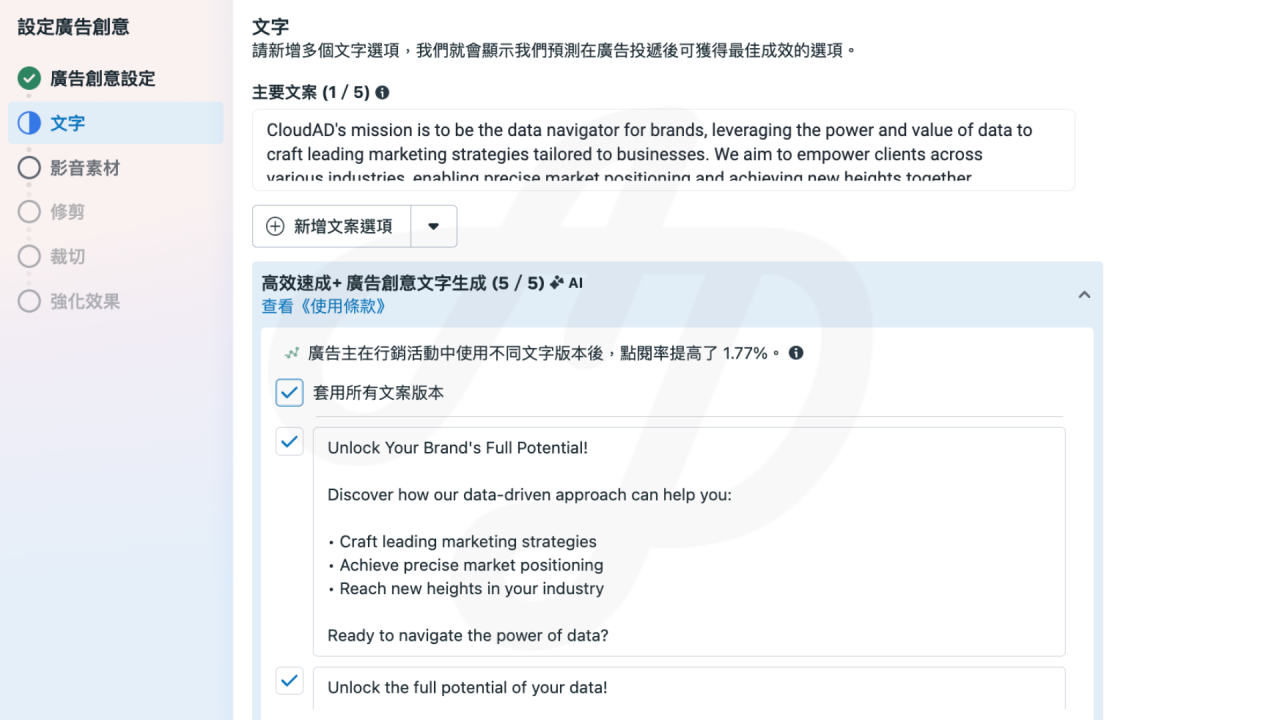
1. Text generation
Enter your primary text, then click the option to add text variations and AI will create different versions of the copy. In our own test, only English copy is currently supported. We hope a Chinese version will be available soon.
2. Image generation
- Background generation
The mood and background of a product image have a major influence on how consumers feel. Brands can upload a product image with a transparent background and choose “Generate background only” to give the product a fresh look and energy.

- Full image generation
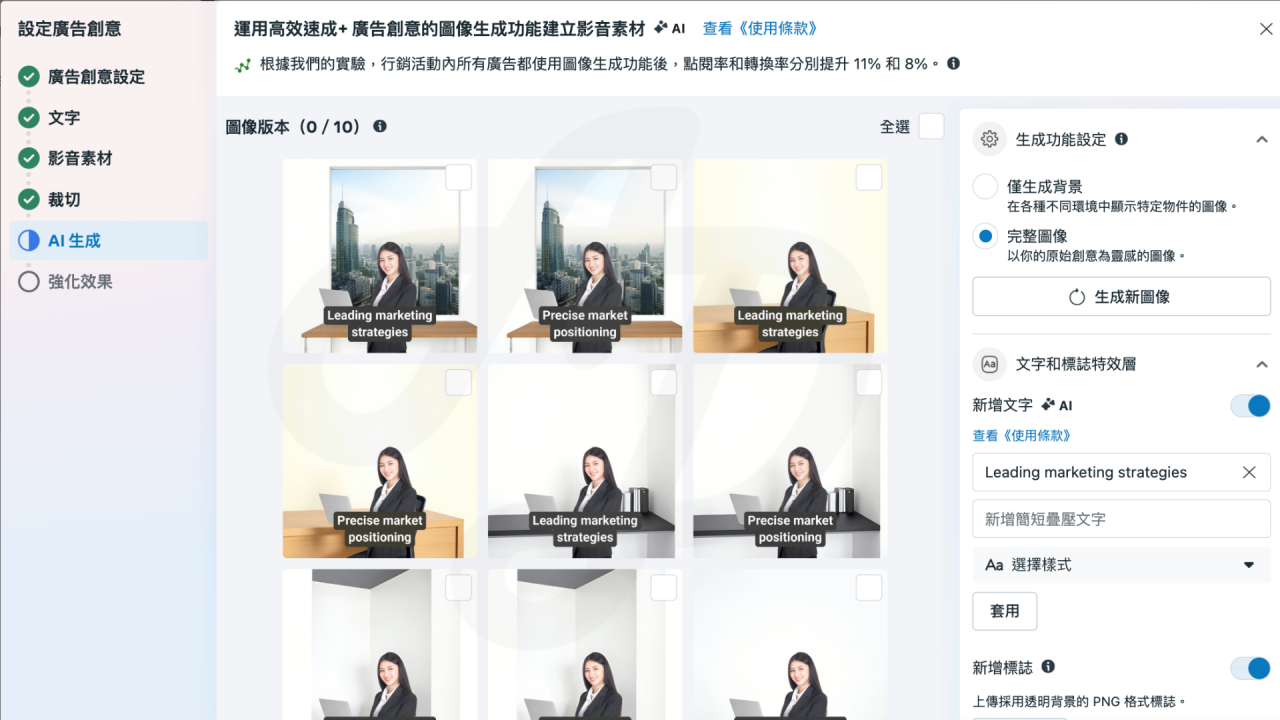
If you want AI to generate a complete image, choose “Full image”. AI will take your original image as inspiration and suggest images that fit your brand’s needs.
At CloudAD, for example, we wanted to present the image of a professional service team. Using this feature, AI generated professional, business-style photos of people. We added text on top, and we had a first draft of the creative.
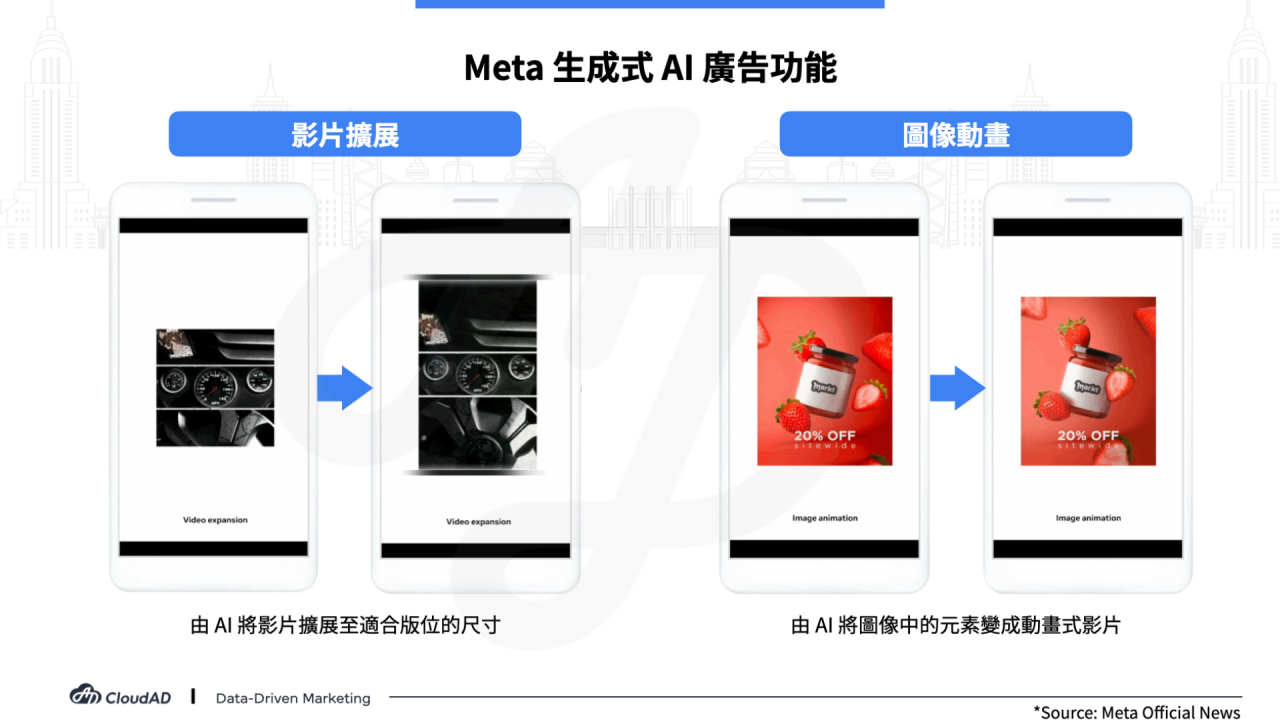
3. Video expansion
Similar to image expansion, video expansion generates invisible pixels in each frame to extend the aspect ratio, so the video can be resized naturally and smoothly for a more immersive, native experience on Instagram and Facebook.
If a brand only has a video in one format and no time to resize it, video expansion can quickly create versions that suit the viewing experience of each placement.
4. Image animation
Instagram Reels only accepts video assets. Advertisers who only have image assets can use image animation to turn a single static image into video ad creative that can be used in Instagram Reels.
AI plus human adjustment for the best brand presentation
Generative AI can produce ad creative quickly, but it can also introduce problems such as style drift, inconsistent brand tone and visual errors. Human review and fine-tuning are therefore still key to protecting the brand image.
1. Review brand copy: keep the tone consistent and avoid an “AI feel”
AI-generated copy can be stiff or hard to align with the brand’s tone, so it needs human review and adjustment.
- Brand voice: check that the content fits the brand style (professional, approachable, luxurious and so on).
- Natural flow: avoid AI stuffing in too many keywords, and make sure the copy is easy to read.
- Emotional connection: adjust the content where needed to make the story more engaging.
2. Review images and video: make sure visuals meet brand standards
AI-generated visuals can have inaccurate composition, missing brand elements or visual errors, so they need human checking.
- Consistent brand style: make sure colours and composition fit the brand image.
- Check the details: watch for AI errors such as “ghost fingers” or unrealistic product details.
- Match the marketing goal: make sure the visual style fits the ad theme and target audience.
3. Test creative strategies: AI offers options, but people should lead the creative
AI can produce many creative directions. We recommend that brands test several of them and select the best copy and visuals.
AI has become a valuable partner for marketers. It speeds up creative production, improves optimisation efficiency and helps brands adapt to market changes faster. But to raise the quality and consistency of today’s AI output, pairing it with human judgement is essential to get the most out of it for your brand.