With Universal Analytics (also known as UA, GA3 or the old GA) retired in July last year (2023), Google has made quite a few changes to GA4. Whether you’re new to GA4 or an experienced user still going through the pains of switching systems, it has probably been hard to keep up. CloudAD has done the homework for you and put together the GA4 updates you need to know about, or can look forward to.
1. Reporting identity no longer uses Google signals
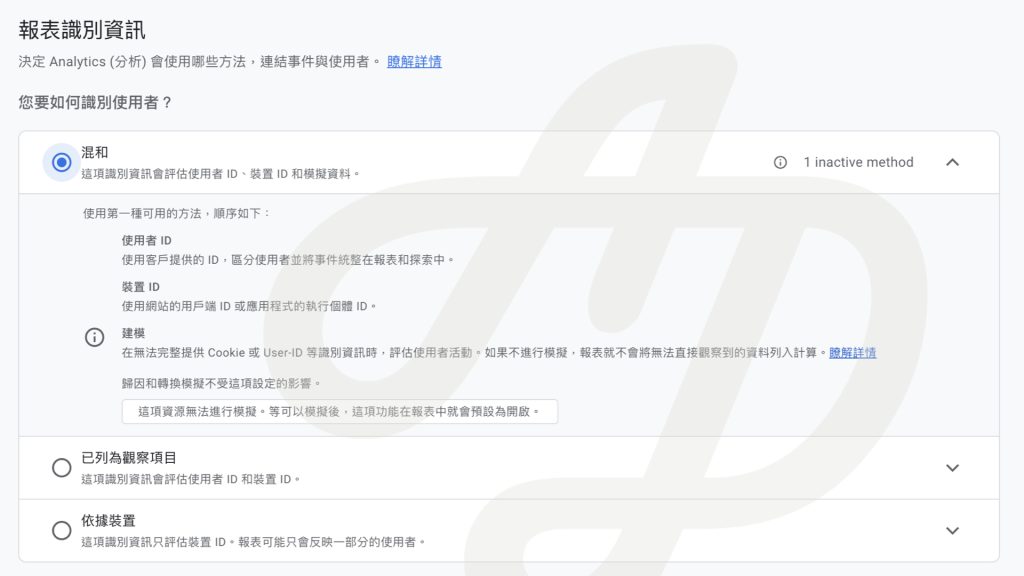
Previously, GA4 used Google signals data to improve user counts in reports, identifying users in this order: User-ID Google signals device ID modelled data. When there was too little user data, this order often triggered thresholds, and some data was hidden.
From 12 February 2024, Google signals has been removed from GA4 Reporting identity. The order for identifying users is now User-ID device ID modelled data. This avoids data being hidden by thresholds and the inconsistencies that caused.
So do you still need to turn on Google signals? Yes, you do. Gender, age and interest data in GA4 comes from Google signals. Google signals data can still be used in audiences and conversions, and shared with linked Google Ads accounts for remarketing and bid optimisation.
2. User-provided data collection
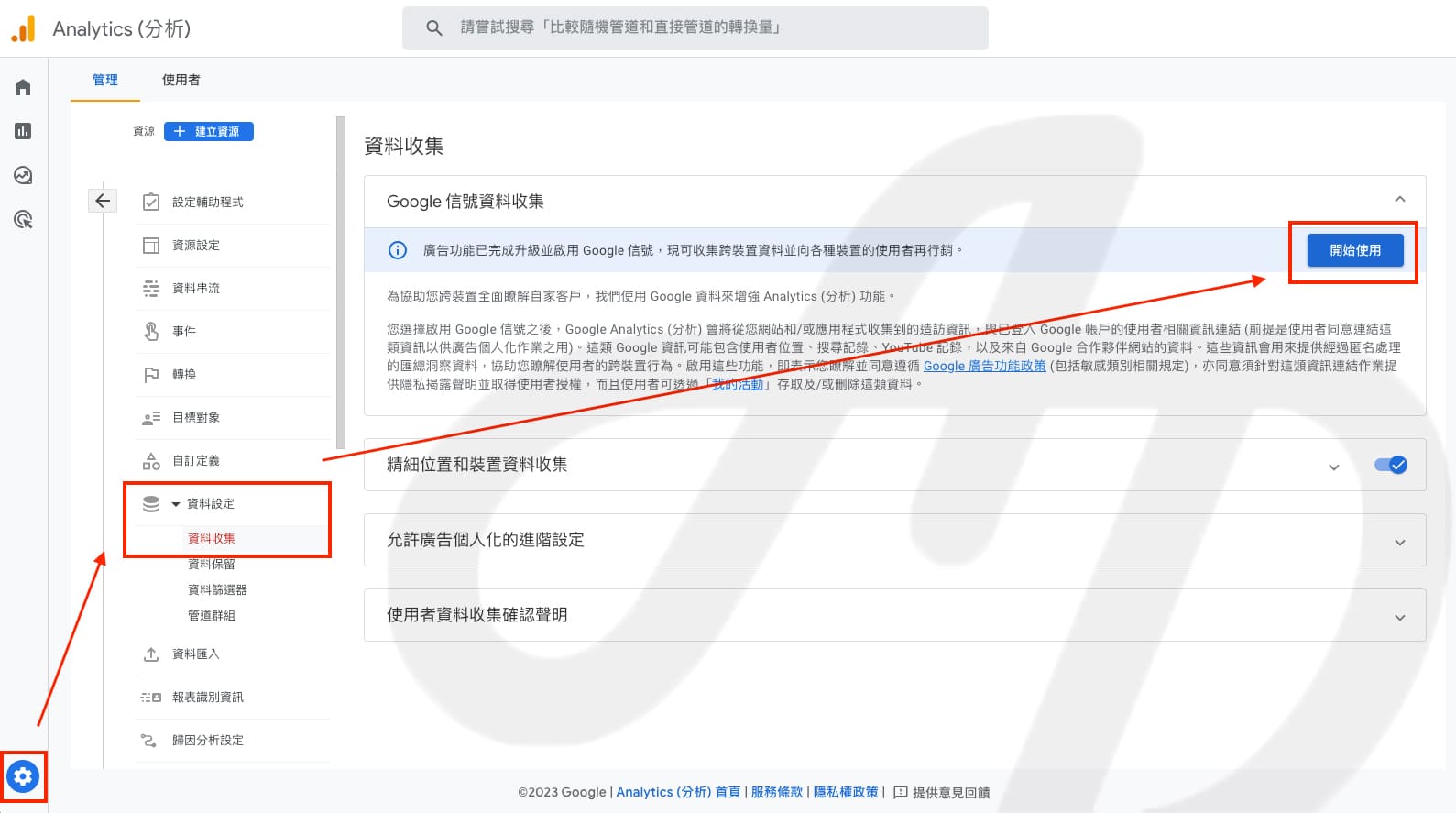
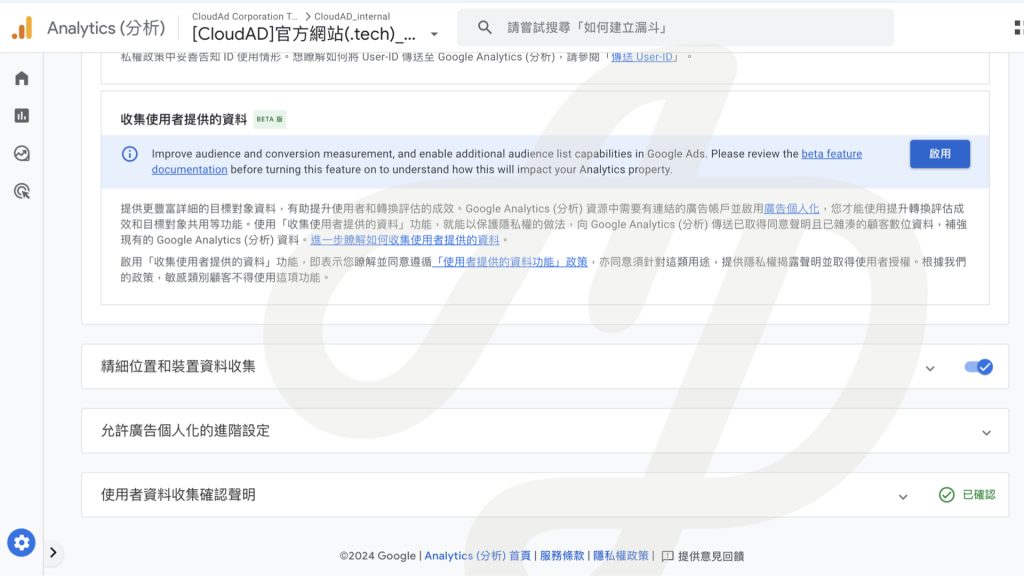
In response to the impact of a cookieless future without third-party cookies, GA4 has introduced user-provided data to help “recover” ad-related conversion measurement.
To use this feature, a GA4 property needs to collect User-ID, be linked to a Google Ads account, and have ads personalisation turned on. In a privacy-safe way, you send GA4 customer data that has been consented to and hashed using SHA256, to supplement your existing GA4 data.
This feature is currently in beta. Once “User-provided data collection” is turned on, event-level and user-level data exported to BigQuery will not include User-ID. Also note that this feature is not available for properties in the “Healthcare” and “Finance” industry categories.
3. Scheduled email reports
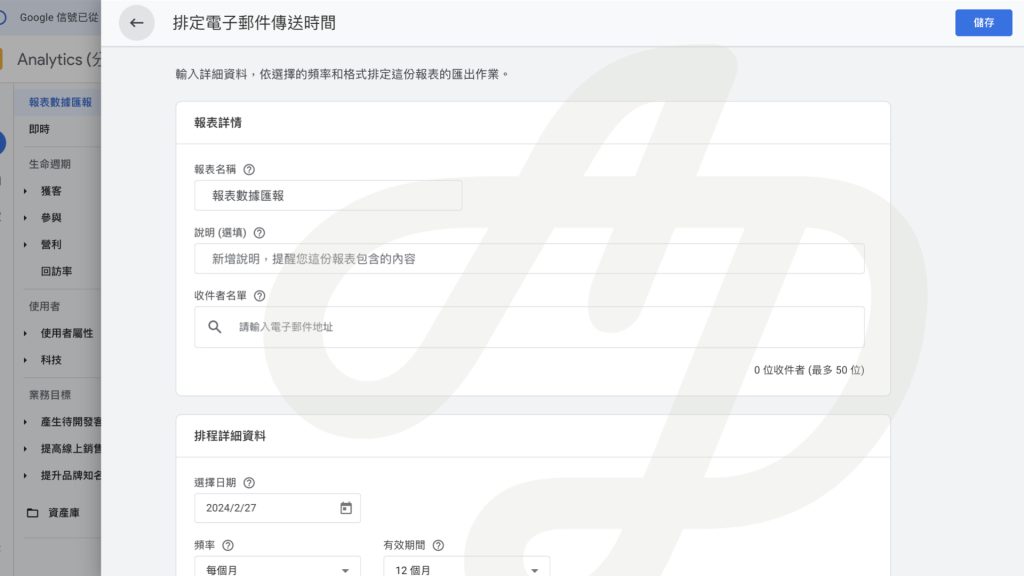
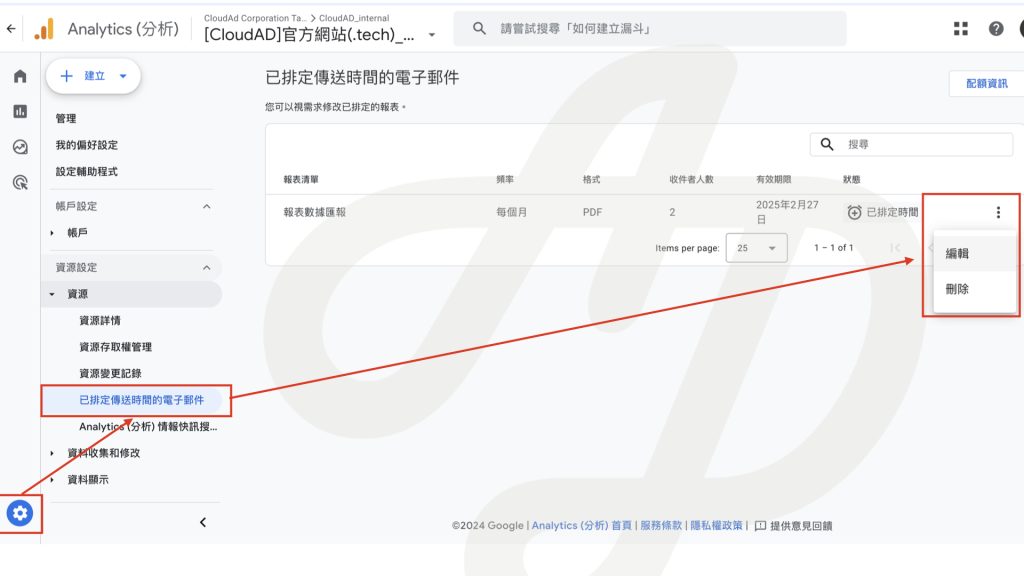
Users with administrator access can send standard reports to team members by email on a regular schedule. You can choose a daily, weekly, monthly or quarterly frequency, in PDF or CSV format.
To view or change report email settings, go to Admin and select “Scheduled emails”.
4. Explorations playbooks in the Google Help Centre
Unlike UA, GA4 offers more ways to explore data. To help people understand how to use Explorations, the Help Centre provides recommended example explorations with clear use cases, illustrations and text. We have picked out the ones worth noting, including:
- Which landing pages perform best or bring in the most conversions?
- What prompts users to add products to their basket?
- Do different segments overlap in ways worth noting?
You can find plenty to learn in the Google Help Centre. Here is the Explorations playbook.
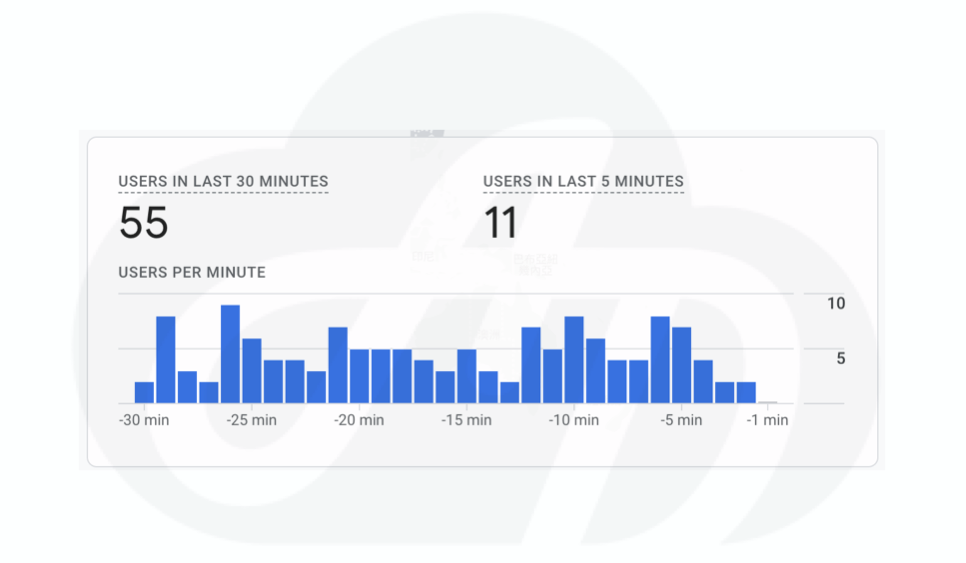
5. Real-time reports add “users in the last 5 minutes”
Compared with UA, GA4 real-time reports only provide user data for the last 30 minutes. Google is rolling out updates to GA4 real-time reports in Q2 2024, which will add “users in the last 5 minutes”.
This round of GA4 updates gives data analysts and marketers more features and improvements, making data management and analysis more efficient. If you still have questions about interpreting your data, get in touch with CloudAD.